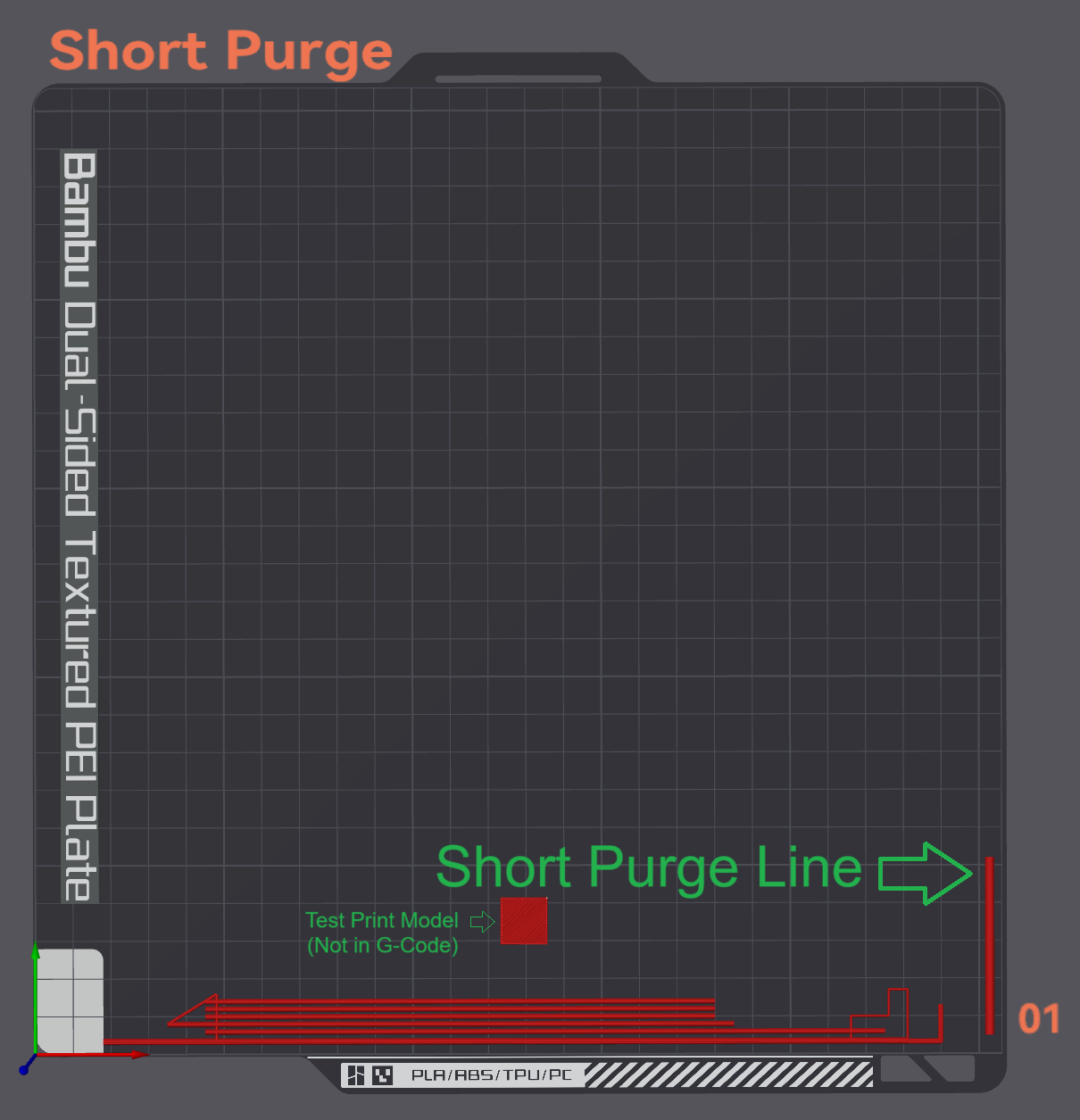
About this 3D model
Bambu Lab X1C Start G-Code - Short Purge line File: Bambu Lab X1C Start Gcode Short Purge.txt The start G-Code removes the default purge line in the top right hand corner and changes it to a short purge line in the bottom right corner of the build plate. Note: The start G-Code is for the Bambu Lab X1C . File: Bambu Lab X1C Start Gcode No Purge.txt The start No Pruge G-Code removes the default (second) purge line in the top right hand corner. Note: The start G-Code is for the Bambu Lab X1C . Both Start G-Code files tested on: Bambu Studio version 1.7.7.89 Orca Slicer version 1.7.0 (Beta) Instructions: Download the “ Bambu Lab X1C Start Gcode Short Purge.txt ” or “ Bambu Lab X1C Start Gcode No Purge.txt ” file. Copy all the text in the document. Delete all Machine start G-Code. Paste the copied text into the “Machine start G-Code” Save the profile under a new name. If you found the G-Code helpful, please drop a like. Disclaimer : Please use the start G-Code at your own risk . The G-Code was tested on my Bambu Lab X1C on both Bambu Studio and Orca Slicer.