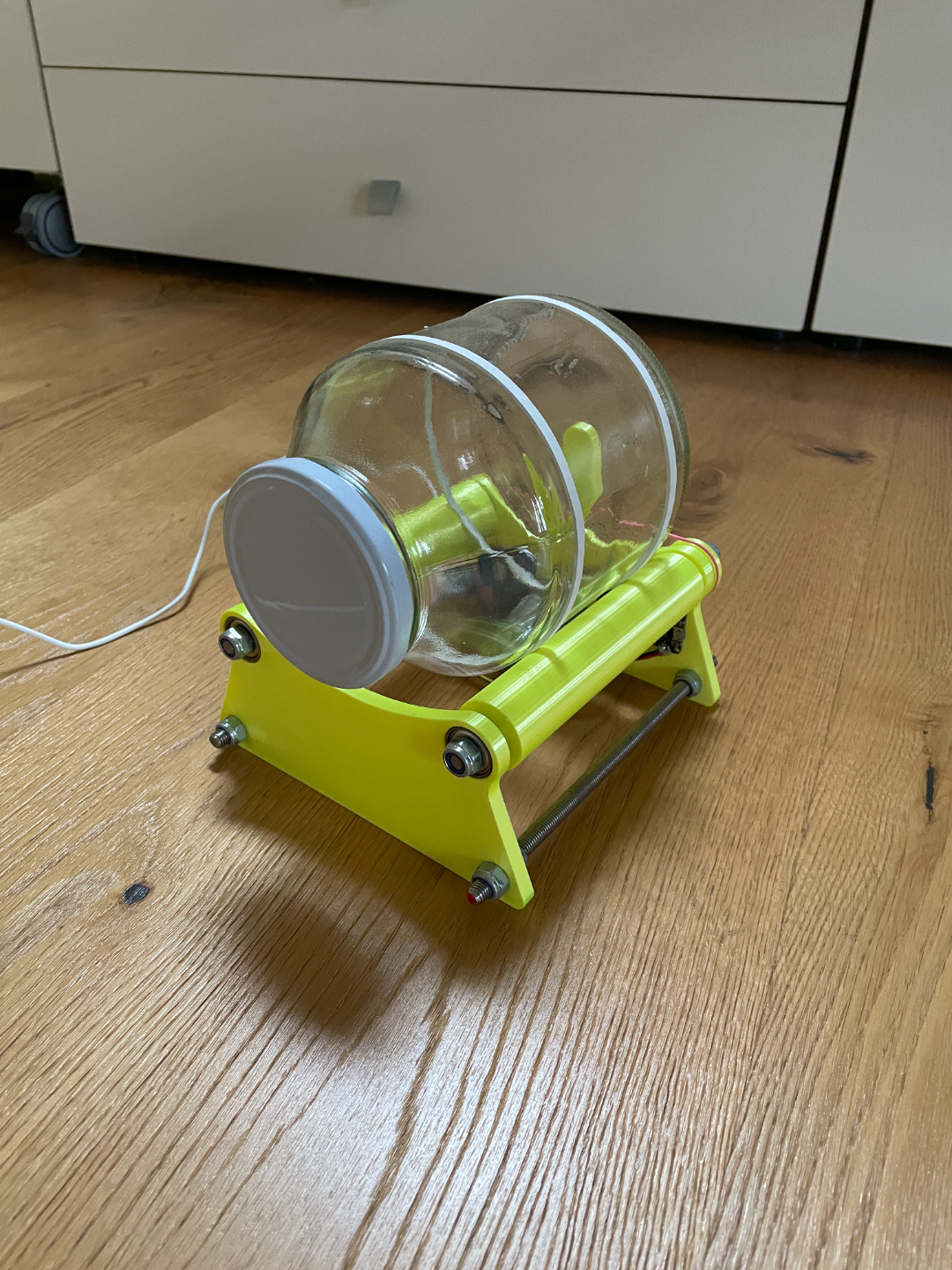
About this 3D model
This is a Rotary Tumbler I designed: You can use a jam jar with a minimal diameter of 8cm and a diameter up to 15cm. I used following electronic parts to built this: Motor: 25mm geared DC Motor H Bridge: AZDelivery Dual H Bridge Controller: NodemcuV2 I also programmed the ESP8266 to connect to your wifi and make a website, where you can control the motor. I pasted the code in here because I could't upload it. #include #include const char * ssid = "SSID" ; const char * password = "PASSWORD" ; ESP8266WebServer server ( 80 ); // Motor control const int ENA = D1; // Motor speed pin const int IN1 = D2; // Motor direction pin 1 const int IN2 = D3; // Motor direction pin 2 int speed = 0 ; // Current speed void setup () { pinMode (ENA, OUTPUT); pinMode (IN1, OUTPUT); pinMode (IN2, OUTPUT); digitalWrite (ENA, LOW); // Stop the motor digitalWrite (IN1, LOW); digitalWrite (IN2, LOW); Serial . begin ( 115200 ); // Connect to Wi-Fi WiFi . begin (ssid, password); while ( WiFi . status () != WL_CONNECTED) { delay ( 1000 ); Serial . println ( "Connecting to WiFi..." ); } Serial . println ( "Connected to WiFi" ); // Create route for the website server . on ( "/" , HTTP_GET, handleRoot); server . on ( "/control" , HTTP_POST, handleControl); server . begin (); } void loop () { server . handleClient (); } void handleRoot () { String html = "" ; html += " Motor Control " ; html += "" ; html += "Speed: " ; html += " " + String (speed) + " " ; html += "" ; html += "" ; html += "" ; html += "" ; html += "" ; server . send ( 200 , "text/html" , html); } void handleControl () { if ( server . hasArg ( "stop" )) { speed = 0 ; digitalWrite (ENA, LOW); // Stop the motor Serial . println ( "Motor stopped" ); } else { speed = server . arg ( "speed" ). toInt (); speed = constrain (speed, 0 , 255 ); // Limit speed to the range 0-255 analogWrite (ENA, speed); // Set motor speed digitalWrite (IN1, HIGH); // Motor forward digitalWrite (IN2, LOW); Serial . print ( "Motor started with speed: " ); Serial . println (speed); } handleRoot (); // Return to the control page }