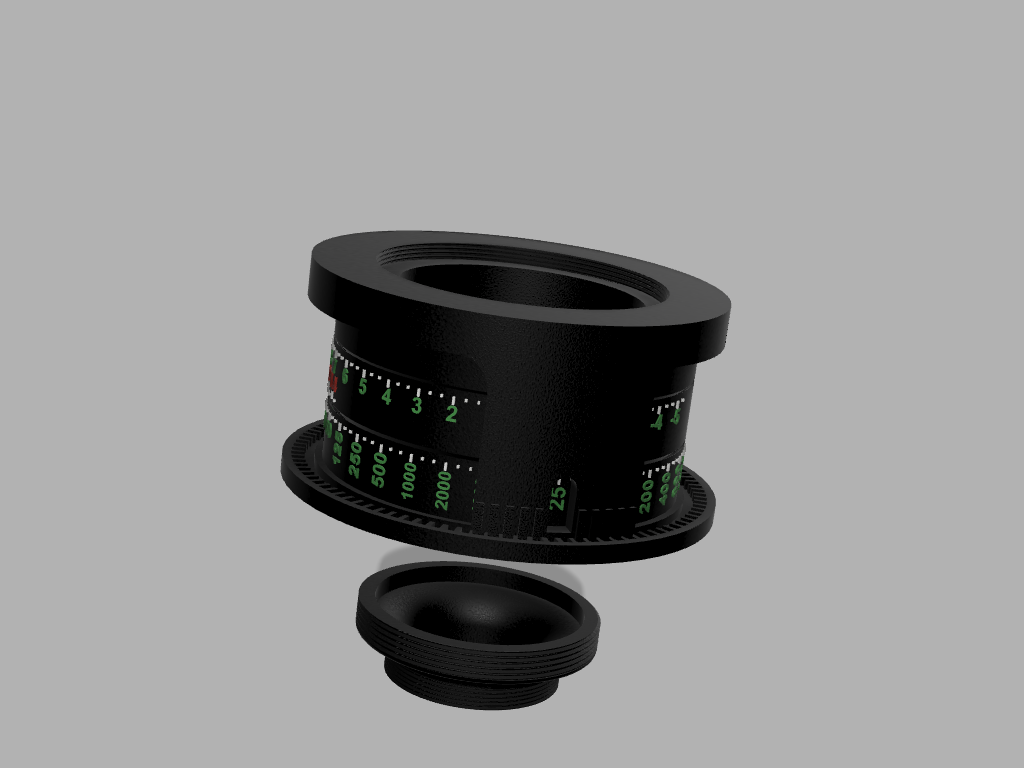
About this 3D model
This tool attaches to a modern light meter to use it like the classic, hard-find, and expensive Pentax Digital Spot Meter. The calculator has two models: a Zone System model and a model compatible with Nick Carver's excellent course on Precision Method of Manual metering. How to use: Select your film's ISO/EI with the outer pointer Set your light meter to ISO 100 (regardless of your ISO/EI), and read the spot meter EVs in ⅓ stops Decide where to “place” the exposure (See Ansel Adam's “The Negative”, or Nick Carver's course) Rotate the EV scale to align with your “placement” For example, you read EV=15 for a middle gray. Match 15 on EV scale to either Zone V on a Zone version or 0 on the PMM version. Select the best aperture and shutter speed combination from bottom two rings. How to assemble: Print the calculator, the iso pointer, and the adapter models Using duct tape, tape the bottom and middle ring so that aperture 90 matches shutter speed ¼ sec Tape the three rings so EV 15 matches f22 (also V for the Zone System model and 0 for the PMM model) and matches 1/60th second shutter speed Put super glue on the underside of the iso pointer Position the iso point to ISO 100, check it is centered from top, and let it cure Remove the duct tape The adapter fits the Sekonic L-858D light meter's 30.5mm threads and the calculator's M42 threads. If your meter has different threads, you can buy a filter adapter to the M42 size I used https://www.printables.com/@sbuerger to model the standard camera filter threads. His PDF is included. I add new custom threads for the Sekonic 30.5mm threads, and I added those values in a separate PDF.