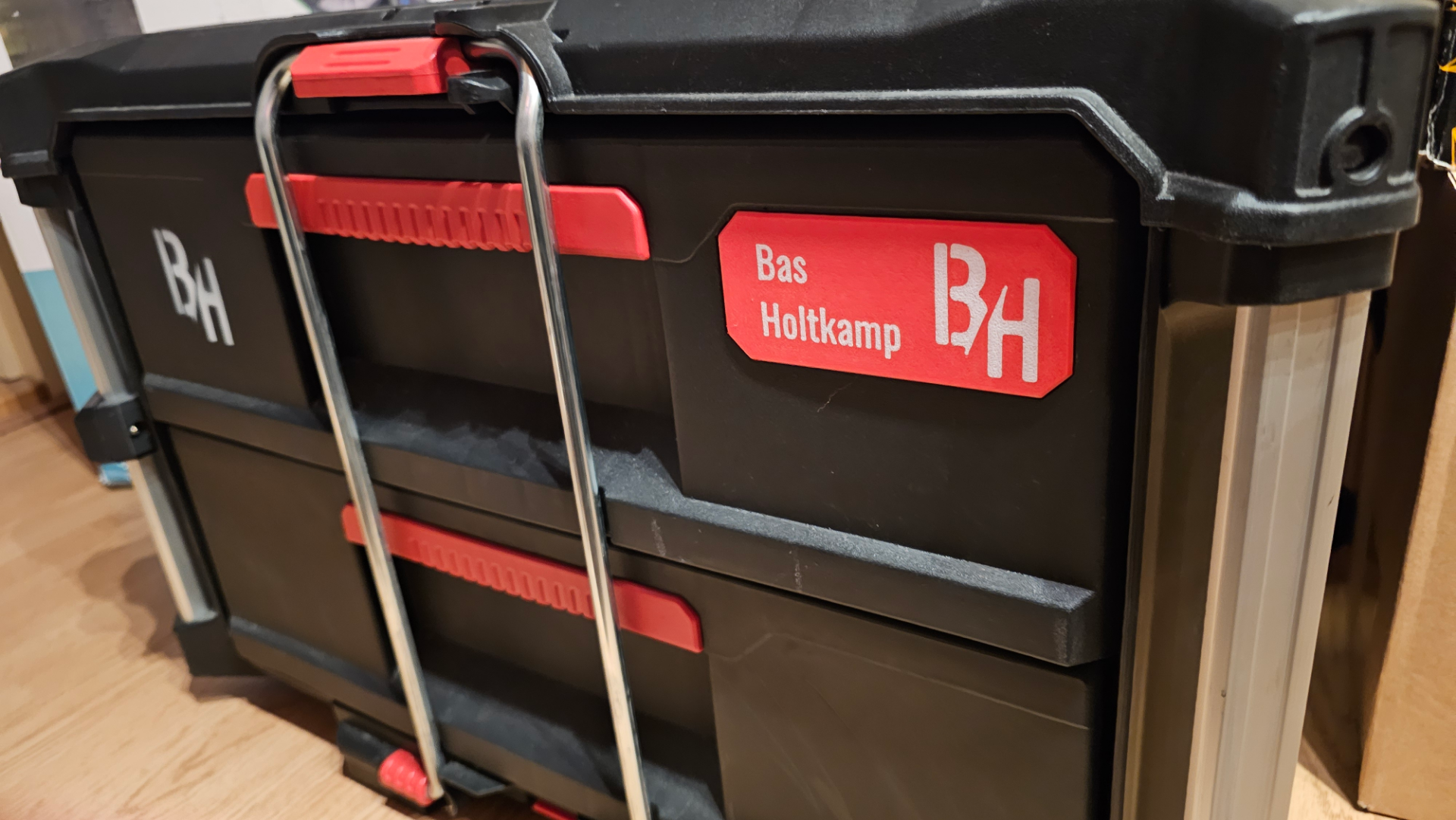
About this 3D model
You probably want to personalize your Packout in Style, Im glad you found this page ;) Looking around the internet i couldn't find the Badge with the CAD file to make adjustments and only some STL's, so here is my 100% self designed version. The Procces to personalize your own Packout Badge within Bambustudio Open the Bambu File Edit the Text_Shape in the Object menu Procces to personalize your own Packout Badge: Open the Fusion360 File Adjust the Text in the “Text” Sketch and hit Finish Sketch It should be ready to Export now properly as STEP file If yes, Load the STEP File in Bambustudio and asign the colors per object and lay the Text side on your buildplate, no support needed. If not, Bellow the instruction how i made the text so you're able to print it in 2Colors *Also the way to put your own logo in it Adjust the Text in the “Text” Sketch Extrude “Cut” the Text 0.2mm from the main body Extrude “New Component” > Start from Object inside your cutout letters > Extent to Object - Top side badge Now you should be able to export it as STEP File and import it to Bambu and assign the colours to each object en print it without issues. Print in ASA or simulair to prevent it from deforming in the Heat or Sun Badge for Dolly > https://makerworld.com/nl/models/123616#profileId-133189 (Its a smaller size) Not for Commercial use without permission. Boost Me Boost this model if you like this model or want to see other usefull designs from me. Any Support will be appreciated <3