About this 3D model
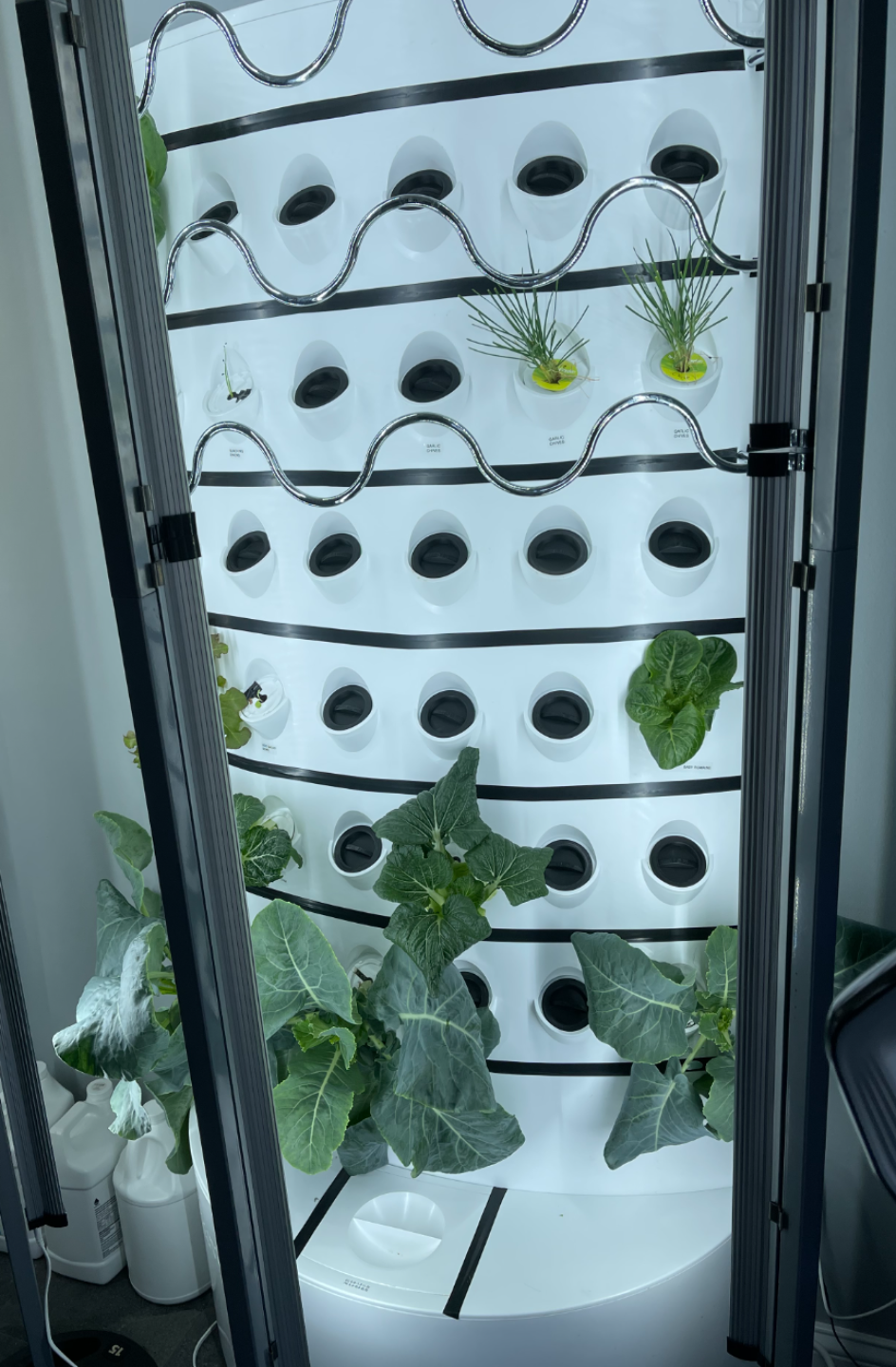
I wanted a cover for my empty iHarvest ports that didn't require me to leave a Net Cup in the port, as the covers I got from IGWorks do. These snugly fit in the ports, and the rim is large to ensure the notch at the bottom of the iHarvest port is completely covered. I use supports in all my print profiles, as the rim's overhang is quite large. This my first design that I created myself in Fusion 360, so I hope you enjoy. Update 2: I have added new print profiles with key changes to maximize the battle against algae buildup. I will keep my older profiles up for those that prefer the reduced filament usage and print time. I use extra lights on my iHarvests, so I have more algae issues than most would with them, so the enhanced light blocking of my newly designed caps is nice. I have also released a print profile with only the gaskets, but thinner versions that can be used with the older style caps. (Note, these gaskets are extremely snug and difficult to close on the older caps, but they do work, most of the caps on my gardens are with these gaskets, before I decided to modify the caps to work better with them). I have changed the caps to 100% infill for maximum light blocking. I have changed the main filament color to black, again to maximize light blocking. I have created a TPU Gasket to prevent seepage from the caps during watering. I used Bambu PVA Support material and wound up with perfect supported surfaces as a result. I released 4 new print profiles with my enhancements. Cap and TPU Gasket with PVA Support Cap and TPU Gasket without PVA Support Cap Only with PVA Support (Snug fit) Cap Only without PVA Support (Snug fit) Bonus Profile: TPU Cap only for Older Style Caps 0.4mm Nozzle 0.28 Draft Mode Layer Height 3 Walls 5 Bottom Layers 100% Rectilinear Infill Normal (Auto) Supports Update: I made a few minor changes to the profiles and uploaded an updated v2 model. The new model's handle is 2mm thinner, and the pegs are a bit higher to make it snug when twisted to lock it in place. It's a very snug fit, but I had an algae problem within 2 weeks of starting one of my gardens, and I'm trying to keep every bit of light I can out of the garden. I have added 4 print profiles, but they all have the following in common. 0.4mm Nozzle 0.28 Draft Mode Layer Height 3 Walls 5 Top Layers 5 Bottom Layers Normal (Auto) Supports Print Profiles iHarvest Cover - This profile uses 3 AMS slots, 2 colors and 1 support PLA. I have a 5-layer thick black bottom for strong light filtering, and a 5-layer white top to ensure the black doesn't bleed through. iHarvest Cover Single Filament - Non-AMS version of the iHarvest Cover. Supports are harder to remove and clean up without support material. iHarvest Cover 12x - This profile fills the plate with 12 covers. This profile uses 3 AMS slots, 2 colors and 1 support PLA. I have a 5-layer thick black bottom for strong light filtering, and a 5-layer white top to ensure the black doesn't bleed through. iHarvest Cover 12x Single Filament - This profile fills the plate with 11 covers. Non-AMS version of the iHarvest Cover. Supports are harder to remove and clean up without support material. Installation is very easy. Slide the iHarvest Cover so that the top rim of an iHarvest port goes between the iHarvest Cover's rim and one of the pegs. Push the bottom of the iHarvest Cover down so the bottom peg on the cover goes into the notch at the bottom of the iHarvest port, and the iHarvest Cover sits flat in the port. Twist the iHarvest Cover ¼ turn to latch lock the cover in place. Note: This cover works on the iHarvests I purchased in November 2023. I saw some pics of older iHarvests on a Facebook group that looked like they didn't have the notch at the bottom of the port. If you have a model that doesn't have a notch, I haven't tested these on such a model. I can make a pegless version if someone does have a model without the notch needs one.