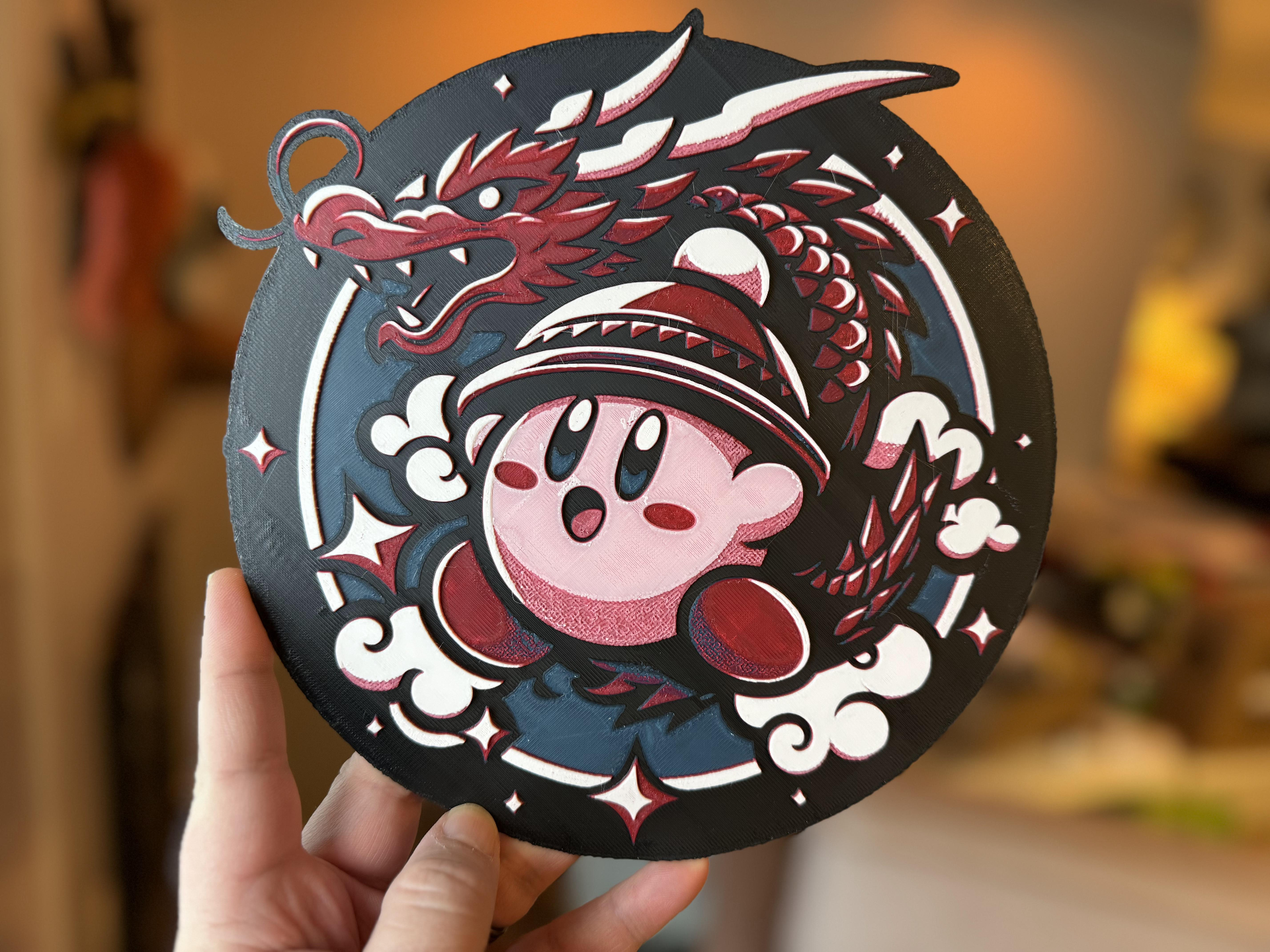
About this 3D model
To see more video game themed items I've made, check out my collection . ----------------------------------- I spend a decent amount of time on these, and will continue to do so after the success of ‘ The Legend of Zelda: Year of the Dragon | Wall Art ’. Some may just slap things into Hue Forge and mash upload, but these are made with 10 thousand percent love and affection, with modifications ranging from Blender, Photoshop, Microsoft Paint… to some home grown applications that assist with making it just the way I hope you print it. So, with that, I present this delightful Kirby: Year of the Dragon wall art for you. SPECIAL NOTE: This print utilizes a simple technique that allows you to use 5 colors: Tell Bambu Studio you'd like to use “Black” in the EXTernal 5th slot. (Assign your other colors like normal in the AMS). Attempt to push print (but don't ‘send’ just yet). Bambu studio will yell at you (nicely), to tell you you're an idiot, and that you can't use both the EXT and AMS in a single print run. You'll be given the opportunity to choose “Oh, sorry, my Black is loaded into slot #.” ( At this stage, for your black filament, choose the white filament slot, whichever you have that loaded into ). You've now “ double booked ” your AMS's white slot with black. Prior to pushing “send”, pull your white filament out, and load in black. Send the print. Now, anytime after black is completed, go ahead and pull the black filament out, and load your white filament . Don't be alarmed that the AMS doesn't self-feed this like usual; It's busy printing your other color layers right now and can't be bothered. It'll load it proper once it gets to the white layers. Done! ----------------------------------------------------------- More Boring INSTRUCTIONS: Print at 100% infill with a layer height of 0.08mm with a base layer of 0.16mm Filaments Used: - PLA BambuLab Basic Black Transmission Distance: 0.3 - PLA BambuLab Basic Blue Transmission Distance: 0.3 - PLA BambuLab Basic Red Transmission Distance: 0.3 - PLA BambuLab Basic Pink Transmission Distance: 0.3 - PLA BambuLab Basic Jade White Transmission Distance: 5 Swap Instructions: - Start with Black ( Using the special note instructions above ) - At layer #4 (0.4mm) swap to Blue [Important: Manually swap your AMS's “Black” for “White” during one of these stages.] - At layer #6 (0.56mm) swap to Red [Important: Manually swap your AMS's “Black” for “White” during one of these stages.] - At layer #11 (0.96mm) swap to Pink [Important: Manually swap your AMS's “Black” for “White” during one of these stages.] - At layer #18 (1.52mm) swap to Jade White for the rest.