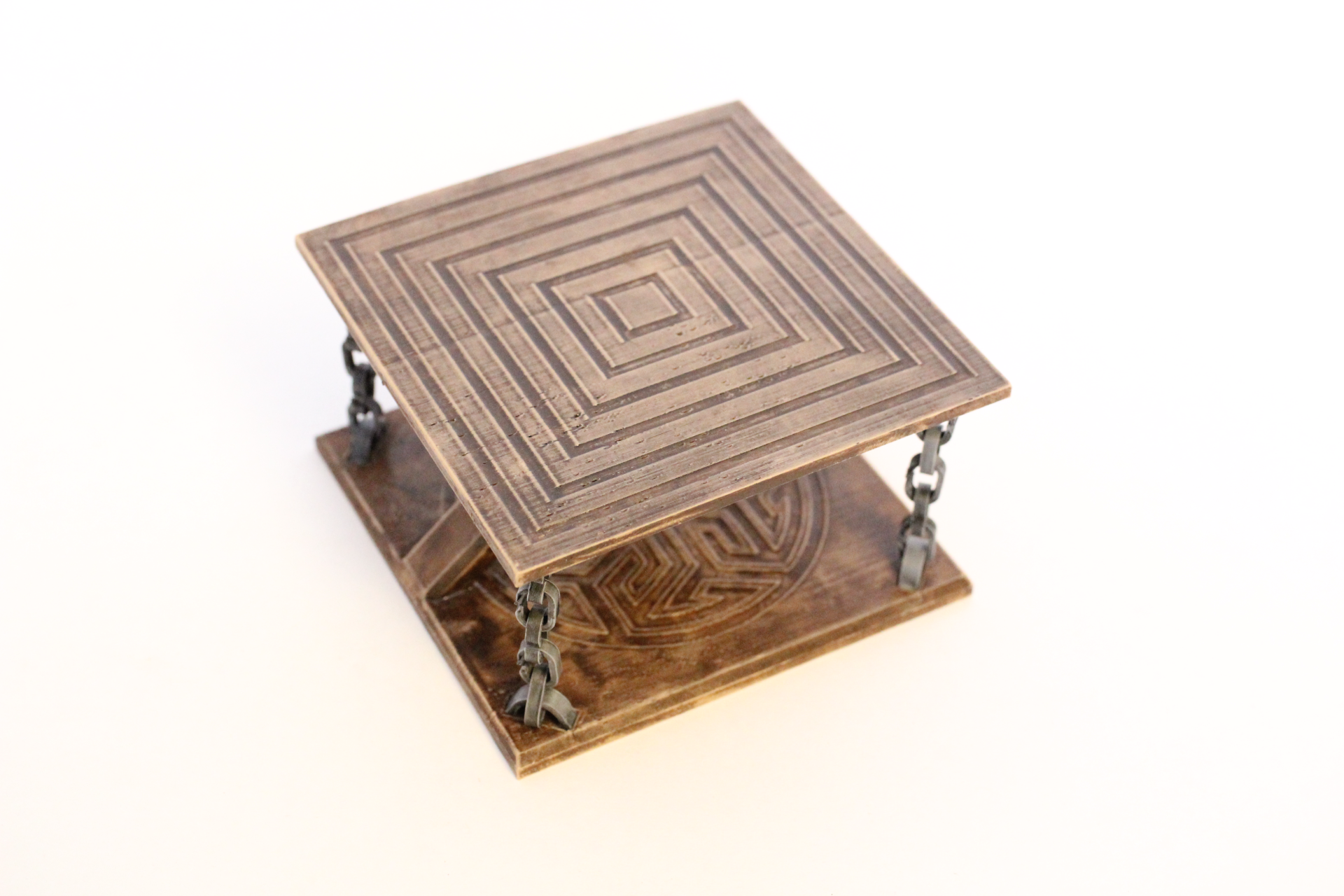
About this 3D model
This is a “floating” coaster. The two platforms hold each other with the chains with opposite forces to create a floating looking coaster. You will need to print: 2x coaster_base.stl 10x coaster_anchor.stl 20x coaster_chain_link.stl 1x center_ring.stl Instruction A: Install the center anchors and ring. It can be a little tricky to install. Here is how I did it: 1- Pass an anchor trough the center ring and clip the anchor (with the ring) to one of the base. 2- Using long pliers, hold an anchor and pass it trough the center ring. (keep holding) 3- With your other hand, position the other base and insert one end of the anchor in the hole. (keep holding) 4- Using the plyers, insert the other end of the anchor in the other hole. B: 1- Create four chains of five chain links 2- Pass an anchor trough the end of a chain link and clip the anchor in one of the corner holes of a base. 3- Pass an anchor trough the other end of the chain and clip it to the corresponding corner hole in the other base (make sure it's not twisted) 4- Repeat for all corners. Print settings: I recommend printing the bases on their side with support so that the arm is horizontal to maximise the arm's strenght. 20% infill should be enough. I used 0.2 layer height.