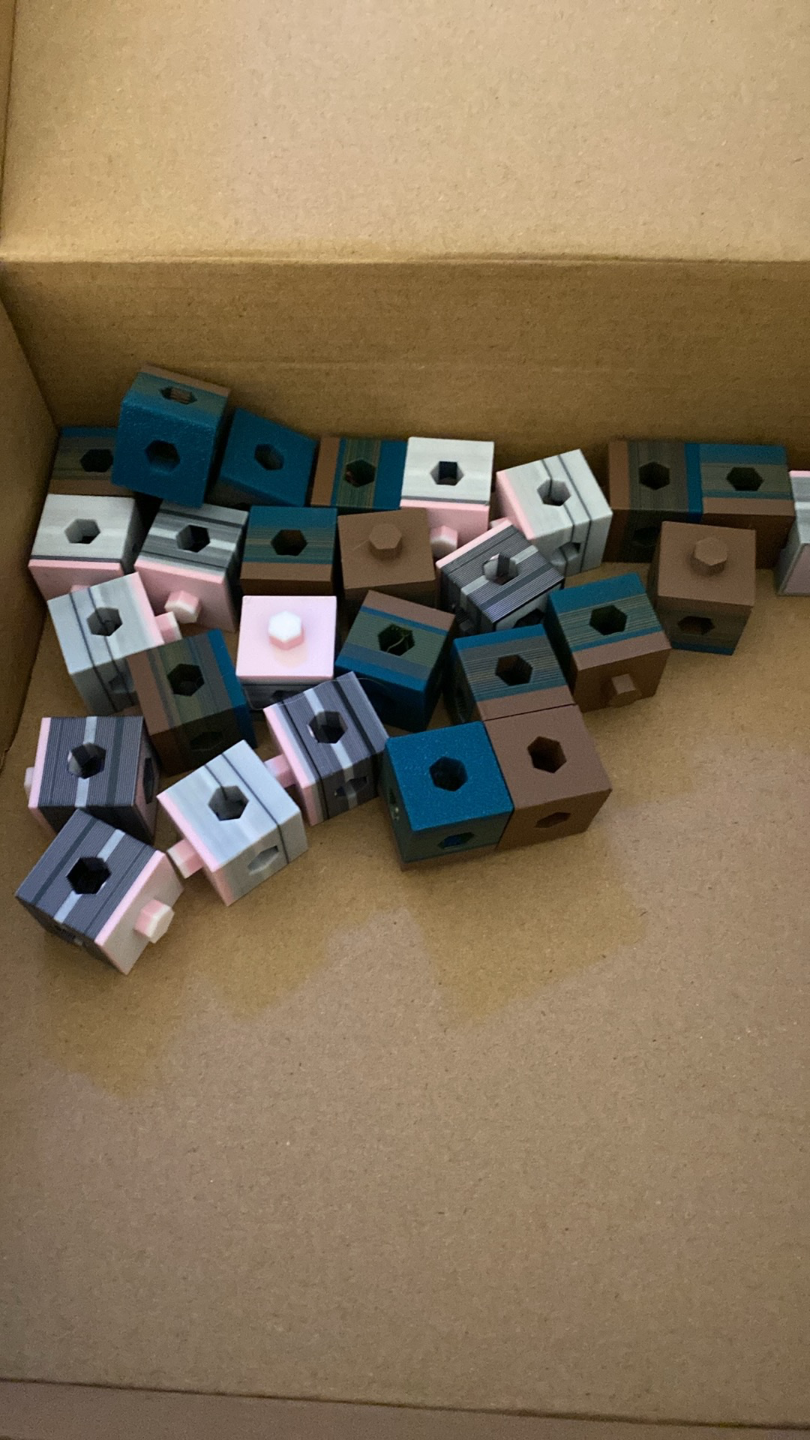
About this 3D model
Update: My verison two of the cubes can be found here: https://makerworld.com/en/models/160151#profileId-175832 . It adds a layer that allows seperation of stacks of cubes! Reduce your purge/poop and print something helpful for schools! The idea of these cubes is not to print them alone (but you can if you want) but to use to flush into when producing multicolour prints. Once they are printed donate them to your local school, I am sure they will love them! To Use: Once you have your object that you want in colour on your build plate inset a pile of cubes that roughly match the height of your print. Go to Process, Objects, Select the Cube, Others and select ‘flush to object’ and ‘flush to object infill’ Slice the file with 'Preview' and have a look at the ‘Flush’ value, it will have decreased (Note: you can ignore any warnings, these only occur because there is a gap to allow the blocks to be stacked) Right click and Clone the Cubes, everyone you add will decrease the purge value (Note: you will see some increase in the total filament used, only keep adding cubes to the point that you are comfortable to use) Print your file, seperate the cubes and donate them to a good cause (or build a fort with them!) If you have any questions at all please let me know. This is my little project to improve 3D printing and attempt to make the world a better place! Important: Don't use lightning infill (as much as it is awesome and all) because it will mean the cubes will break when you try to spilt them.