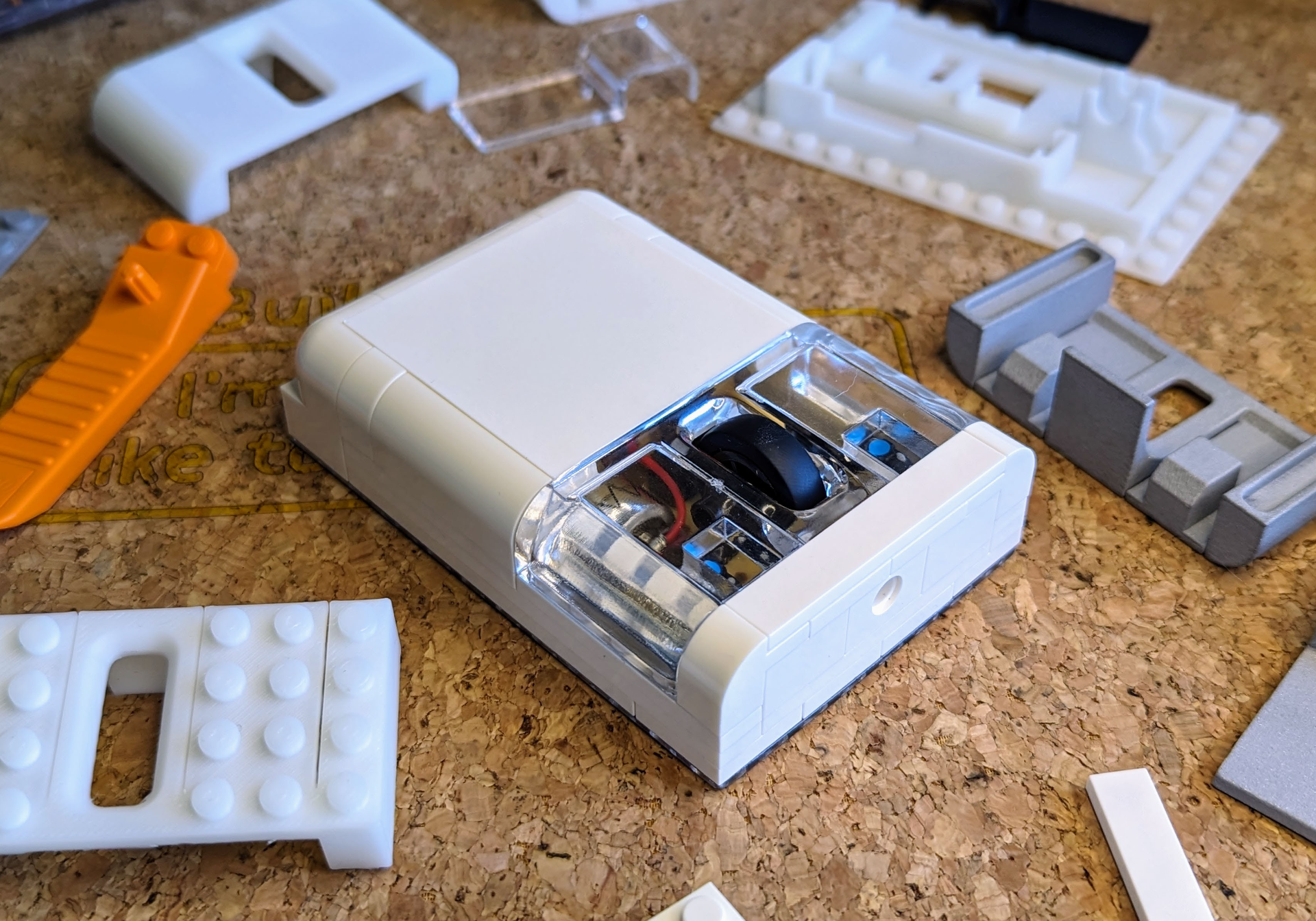
About this 3D model
Compatible with the Bambu Lab Wireless Mouse 002 Kit and your favourite plastic toy construction bricks! ? Important information 3D printing parts that are compatible with toy bricks can be very tricky. The print profiles I've provided have worked perfectly for me when printing on my X1C 3D printer. But please keep in mind you may need to adjust your slicer settings or calibrate your 3D printer to ensure good results that your toy bricks can easily snap in and out of. ? What you'll need Bambu Lab Wireless Mouse Components Kit 002 ( https://au.store.bambulab.com/products/wireless-mouse-components-kit-002 ) Bricks AA Battery ? Assembly guide 3D Print the parts. Insert the power switch and optical lens into the 3D printed base. Insert the scroll wheel into the mouse PCB. Insert the PCB into the 3D printed base, make sure to align the power switch and optical lens. Insert the battery connectors into the 3D printed base. Connect the battery connectors to the PCB. Insert the AA battery into the battery holder. Using the bricks, build your own custom brick mouse! To insert the 3D printed button adapter, you must first add a brick (or 3 plates) beneath it. You're done! ? Assembly video