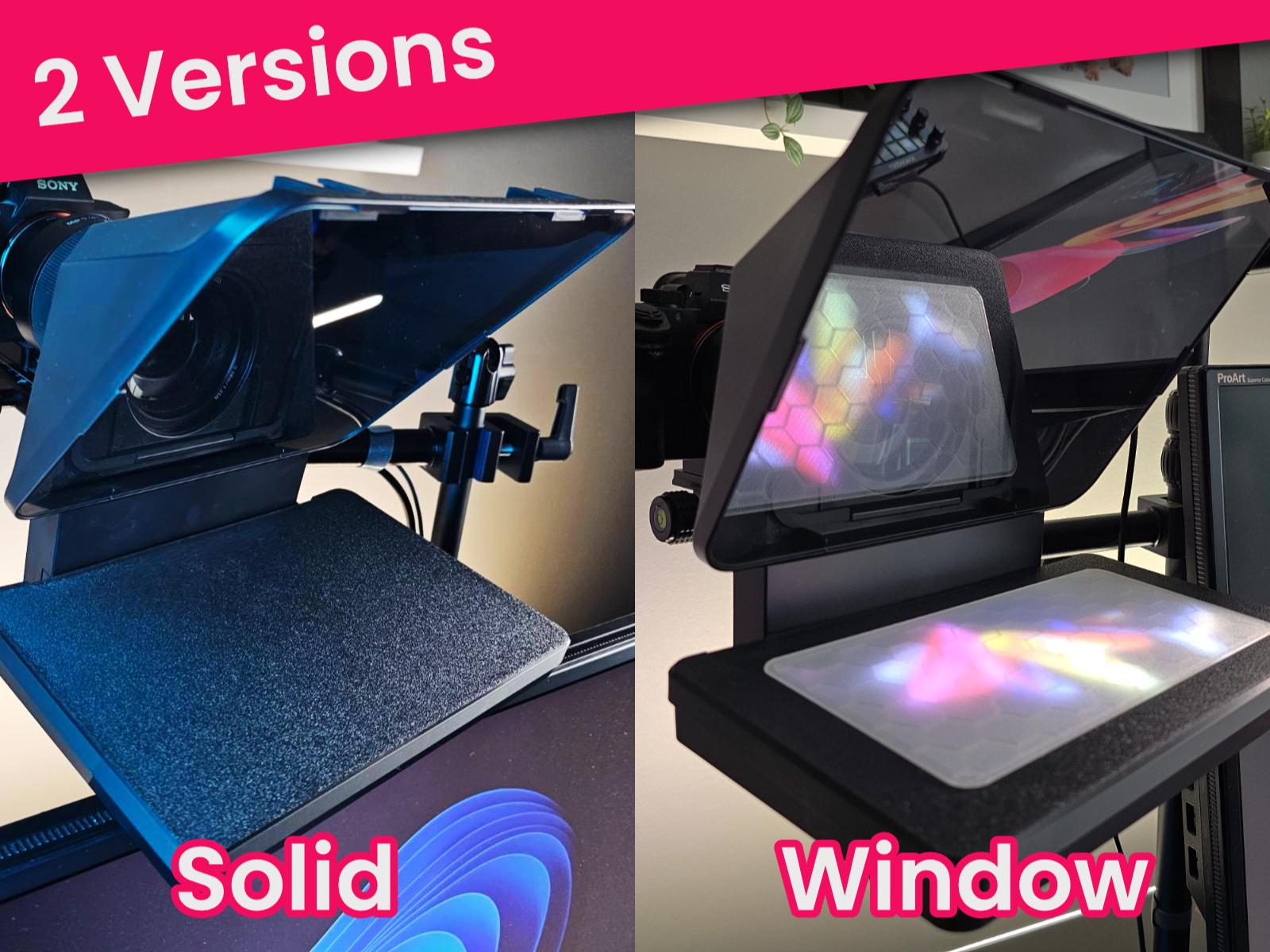
About this 3D model
Protect the screen of your Elgato Prompter from dust and other accidents! Why 2 versions? When you keep the prompter plugged in but switch off the power through the Camera Hub app, the screen usually still comes back on after Windows Standby or Hibernation. If you want to be able to see if it is on, you can either print the “Solid” model using transparent filament, or the “Window” version with your favorite color frame and a transparent window cover! Notes: Print with the flat side on the print bed. Since that is the side that will be visible when placed onto the Elgato Prompter screen, using a textured plate is advised. The hexagonal pattern is to avoid warping during print and to add a little bit of strength to the finished model with minimal filament usage. Window version: No multi-color print required. You can print the 2 parts individually and then glue the transparent window part into the frame part with a little bit of super glue. I like to switch the aux fan off (in filament settings) for best bed adhesion on textured PEI plate For best transparency with transparent PLA, set all the speed settings in the sclicer to a slow 25mm/s (see my print profile for this model here on makerworld) Please comment and rate!