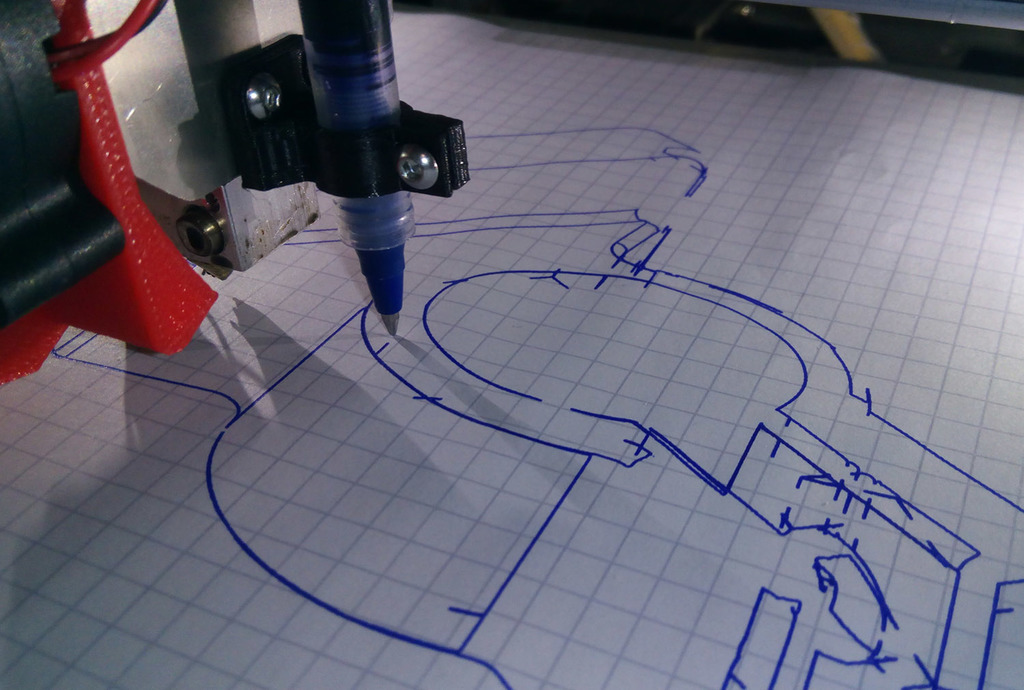
About this 3D model
This is a pen holder holds pens with ~10mm diameter and is installed instead of the proximity sensor on the right side of the extruder. This allows for fast switching between regular printing and pen holder mode. You can use it to create pcbs by using a marker to draw on the areas that should be copper after etching. Alternatively you can just use paper to test it. The screw and nut are m3. Recommended settings to use in your slicer: z-hop/z-lift: 1-2mm add z lift after printing to prevent unwanted lines use a small nozzle size that is similar to the width of your pen (I used 0.2mm in the example) print only one layer Important: enable the "Dry Run" mode in the debugging menu of your printer to disable hotbed and extruder To create drawings I did the following: get a black/white image of something ( I used the drawings feature of fusion 360, to create a drawing of this holder) use inkscape to create a path of the image (Path -> trace bitmap) export as svg and import in fusion 360, blender or your cad software extrude the inner parts and export as stl If you need different diameter holders, write a comment and I make them. This fits on the Zonestar p802 series. Print Settings Printer: Zonestar P802 Rafts: No Supports: No Resolution: 0.1mm Infill: min 30% Notes: Very fast print time (under 10 min) added holder for the proximity sensor added adapter for smaller pens Category: 3D Printer Accessories