About this 3D model
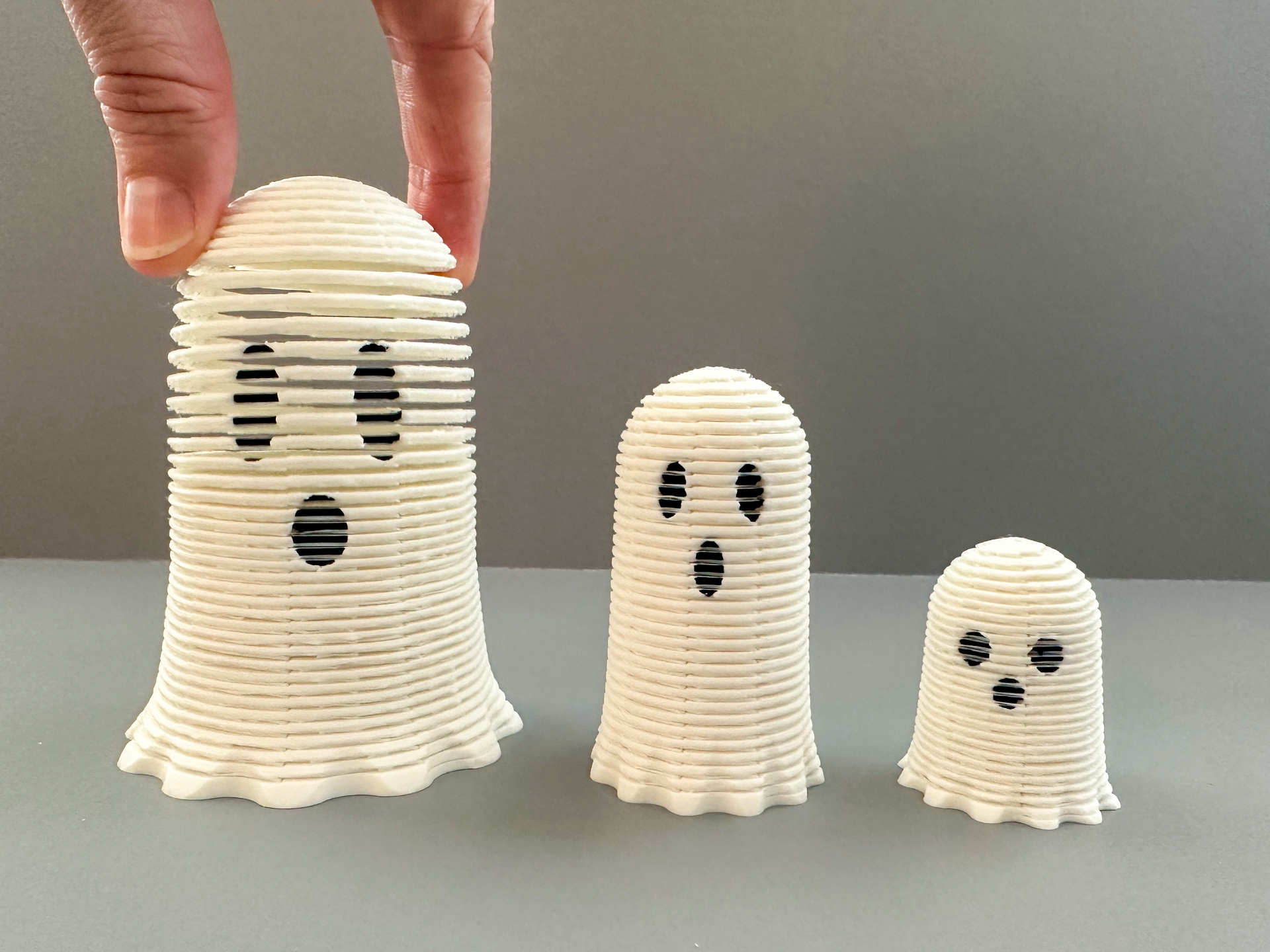
Here is a family of stretchy ghosts that are more fun than spooky ? In my print profile I have arranged them as follows: Plate #1: Small, Middle, and Large Ghosts, (2 colors, white & black) Plate #2: Large Ghost (2 colors, white & black) Plate #3: Middle Ghost (2 colors, white & black) Plate #4: Small Ghost (2 colors, white & black) I placed all three ghosts on plate #1 to economize the amount of waste purged (it's more efficient to print 3 ghosts at once than one at a time). There will be more filament purging with this print as the color changes from black to white. I have tried playing around with the flushing settings but found if I didn't purge the black enough it caused my white to look more gray around the eyes:( If you would like to print one at a time, I placed them separately on plates #2, #3 and #4. Note : When you go to preview these slinky's in Bambu Studio you will get a warning that states: “Warning: It seems object POG Small (or Large) Slinky has floating cantilever. Please re-orient the object or enable support generation.” You can ignore this warning. The program is recognizing the space between each layer of the slinky. That ‘space’ is intentional and necessary to be able to separate the slinky when it is done printing. It will print fine without supports:) 3D PRINTING SETTINGS Layer Height 0.2mm PLA works great No Supports needed. 15% Infill Dimensions of Large Ghost: 3 in. x 2.5 in. Dimensions of Middle Ghost: 2.5 in. x 1.5 in. Dimensions of Small Ghost: 1.5 in.x 1.25in. After you print each ghost, the layers that will be lightly connected together. Gently separate them with your fingers or a non-sharp object like a butter knife:) Have Fun Printing:)