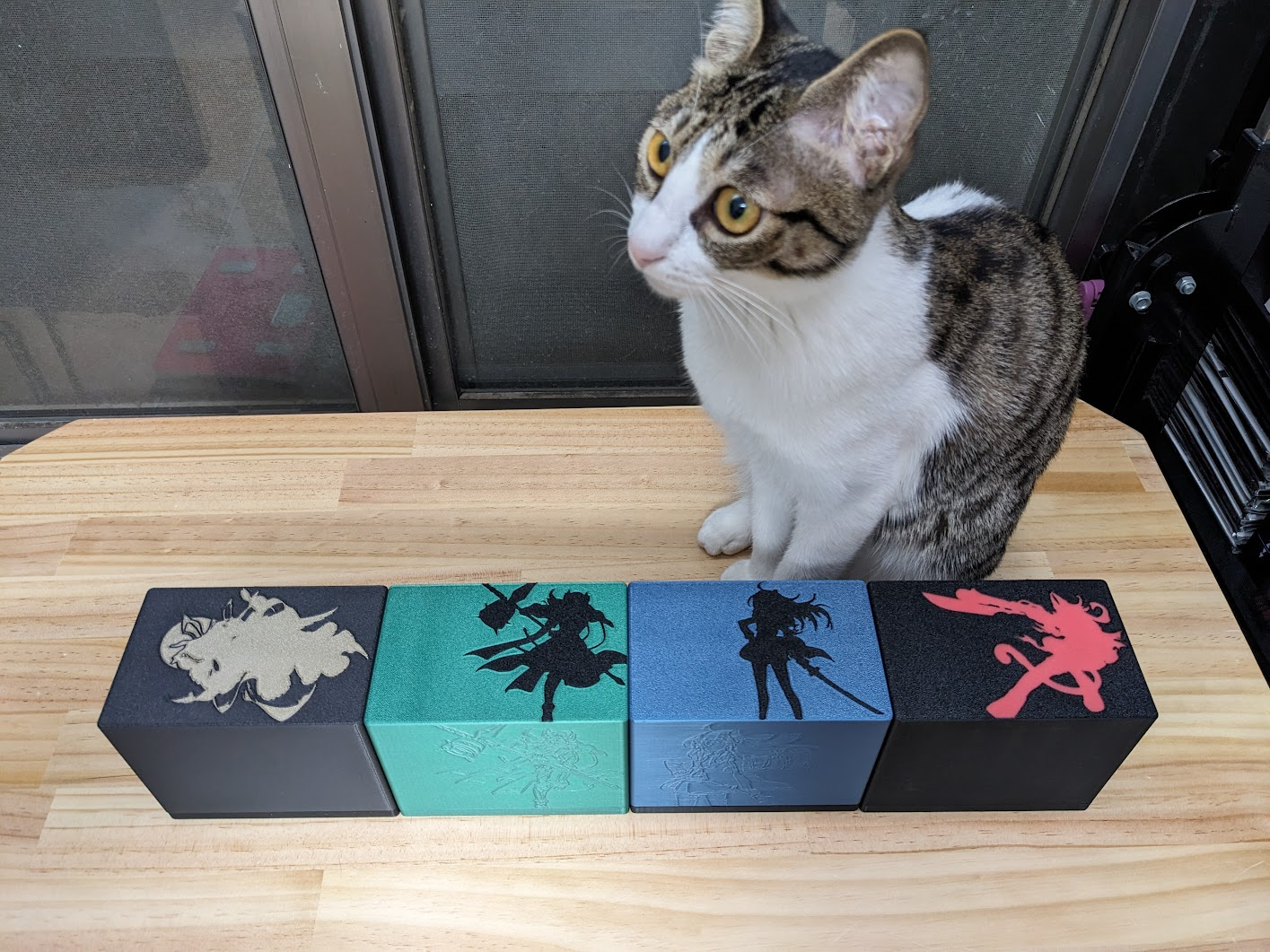
About this 3D model
Magnet secure card box for TCG , you can add icon you like to the top and side the icon on lid is not included in model , you need add modifier on your own Can fit: card with 69x94 sleeve plus 3 other layer sleeve inside total 4 layer sleeve protected card (if yu-gi-oh or vanguard) 45 card in the main deck partition 15 card in the EX deck partition and left 8mm space for your finger when take out main deck 30 card in the third partition for spare card or tokens double that if you only use one layer of sleeve What files need to printed You NEED print “Lid” “Box” “Buttom” and 2x “Magnet Cap” for one box , use some glue for combine the Bottom <=> Box and Magnet cap <=> Lid (for non slim version you can choice between with partition or without partition , only need print one of those) Magnet You also need 4 10x20x2 square magnet , watch the pole when you press magnet inside the hole , it's very tight hole and you will not able to take out the magnet without breaking the box.(and yes , you need hard press the magnet into the slot) make sure you put the pole like “NS [NS SN] SN” or “SN [SN NS] NS” so the lid can fit both direction note some of those magnet are cheep and with low magnetic force , make sure you get high quality one , (I get one that says with 2200 gauss , it can handle full box and hard shaking without drop the card) Print Recommandation I use PLA on Lid and Bottom for more color option and better looking, and use PETG for BOX since PETG is more slip and soft so it's nicer to your sleeve for the Icon , use slicer “add Modifier” feature to add SVG on the top , I recommand: use 10mm/s on first layer for top use modifier with 0.4mm deep (2 layer, if use 0.2mm layer hight) / for side use add modifier with 0.1mm deep for top enable ironing for all solid layer on the Modifier and 1.1 flowrate print both “magnet cap” and “lid” together and same color with “By Object” order , so the slicer will generate GCode that print small cap first , then draw the outline for your icon , results shapper and clean Icon on the surface