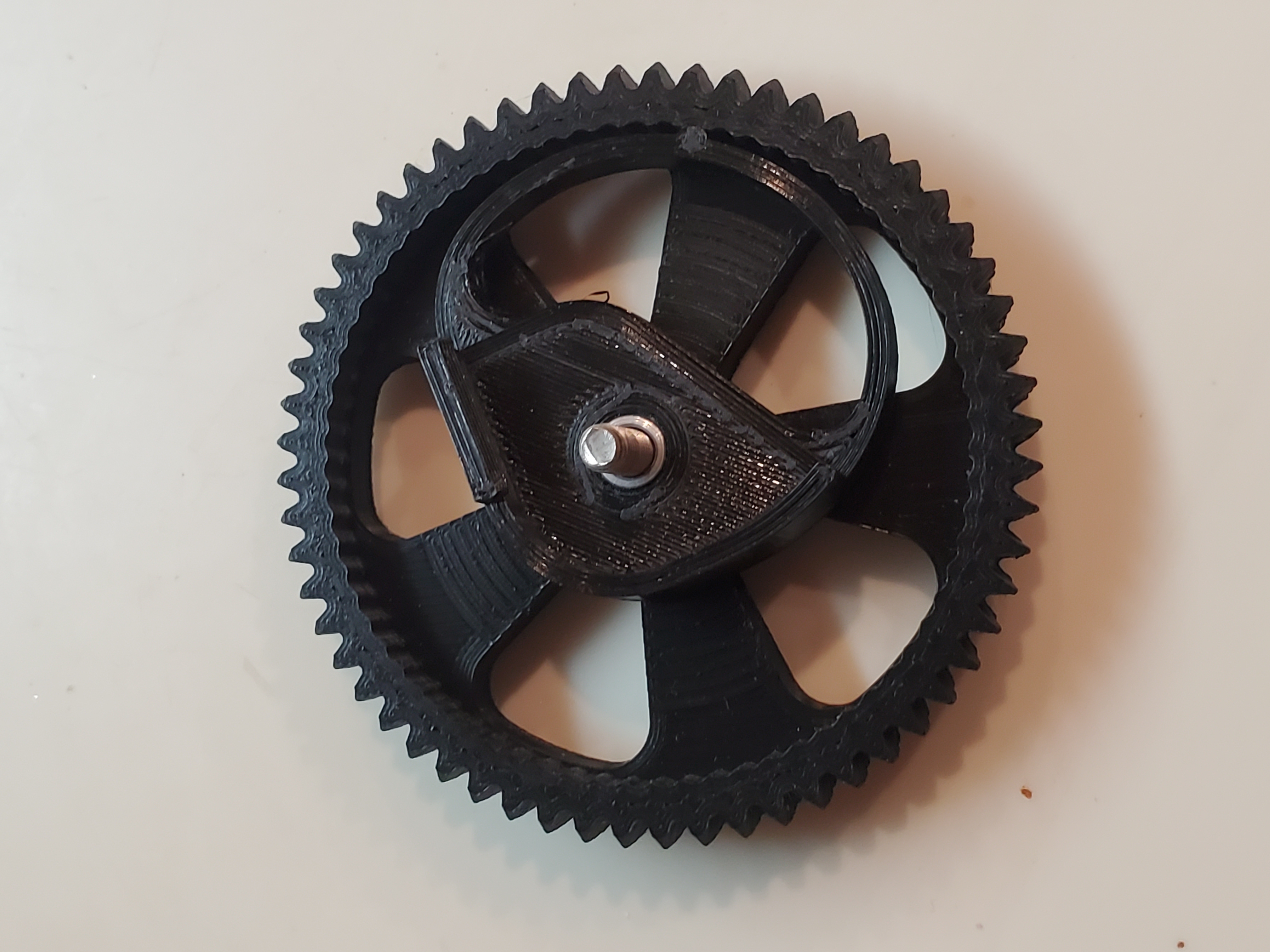
About this 3D model
I printed TheBoJan 's Ultimate Ender 3 Bed Leveling Knob for my Ender 3 V2 and loved the idea. The problem was that no matter what I did the bed would still become unlevel after a few prints. This remix increases the width of the spring arm by 0.5mm and the depth of the nub by 0.25mm. The tension is much tighter and there is now an audible click when adjusting the wheel. A metal insert was used to keep the screw from binding. Warning: If you print a third party profile you may not be getting the latest version or the highest quality print. If you like this project, please don't forget to ❤ Like and ★ Rate! Print Settings Rafts: No Supports: No Resolution: 0.2 Infill: 20% Customizing The STEP files are exported for an M4 threaded rod and M4 nut with a flat-flat length of 6.85mm. If the rods on your bed aren't M4 or your nuts are bigger than 6.85mm then you'll need to download the .step file and adjust accordingly. Mount B is just a mirror of Mount A so make your modifications and then mirror it. Required Hardware (4) M4 nuts (4) Metal inserts (6mm OD, ~4mm ID, 5mm length) Modifications might be required if your nuts are larger than mine (giggity). Please read the "Customizing" section for more info. What to print (2) Mount A (2) Mount B (4) Wheel (duh) Warning If the mounts don't fit over the threaded rods on your bed, DO NOT force them. They should slide smoothly over the rods and if you force them on they may not allow your bed springs to decompress and become nearly impossible to remove. Installation Installation is pretty simple, you just remove the stock wheels, slide the mounts on and screw the new wheels on. The elevated part of the mount should wrap perfectly around the curve of the bed plate, if it doesn't then it's the wrong mount for that corner. Mounts A and B are mirrored versions of each other and go in the following corners: Mount A : Front-left and back-right Mount B : Front-right and back-left Video: https://youtube.com/shorts/fKeoOqcoG6E (Printables won't let me embed a short…)