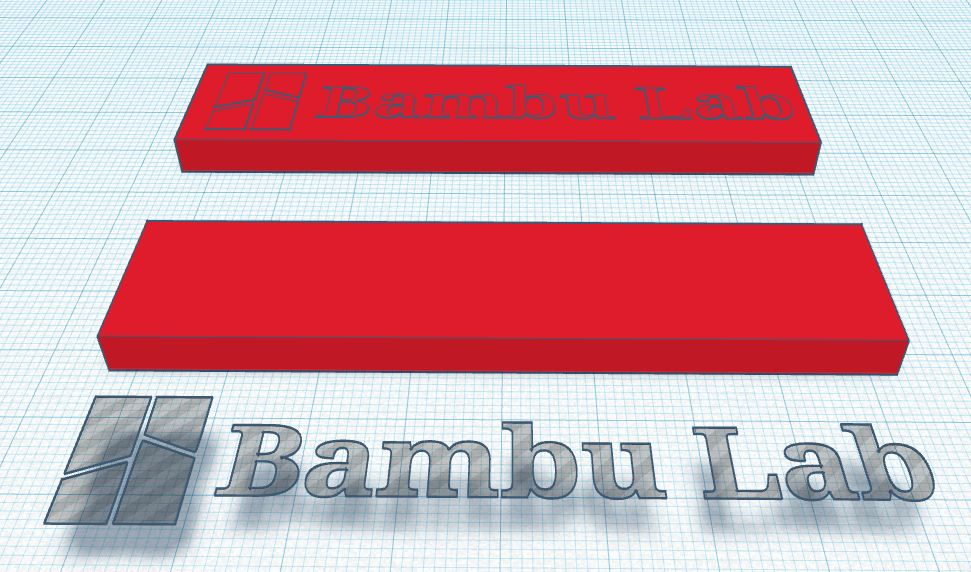
About this 3D model
These files allow you to easily add a logo that can subsequently be painted in Bambu Studio (or OrcaSlicer). Here is an example of how this is achieved in the Slicer. The logo is painted directly in the slicer, which also means you do not have to print it if you wish to print the file in a single color. It is easy to add the logo to your designs. You have two example files: "Bambu lab Logo for Slicer.stl" which is a simple 5mm high shape. "Bambu Lab Logo for Slicer Logo.stl" is the logo which is 0.01 mm high and must be placed at 5 mm high in percage mode. You then merge the two shapes to obtain the example model. These files allow you to easily add a logo that can subsequently be painted in Bambu Studio (or OrcaSlicer) An example allows you to see how this is done in the Slicer. The logo is painted directly in the slicer, which also means you do not have to print it if you wish to print the file in a single color. To add the logo to your creations, it is simple. You have two example files: "Bambu lab Logo for Slicer.stl" which is a simple shape 5 mm high. "Bambu Lab Logo for Slicer Logo.stl" is the logo which is 0.01 mm high and must be placed 5 mm high in percage mode. You must then merge the two shapes to obtain the example model.