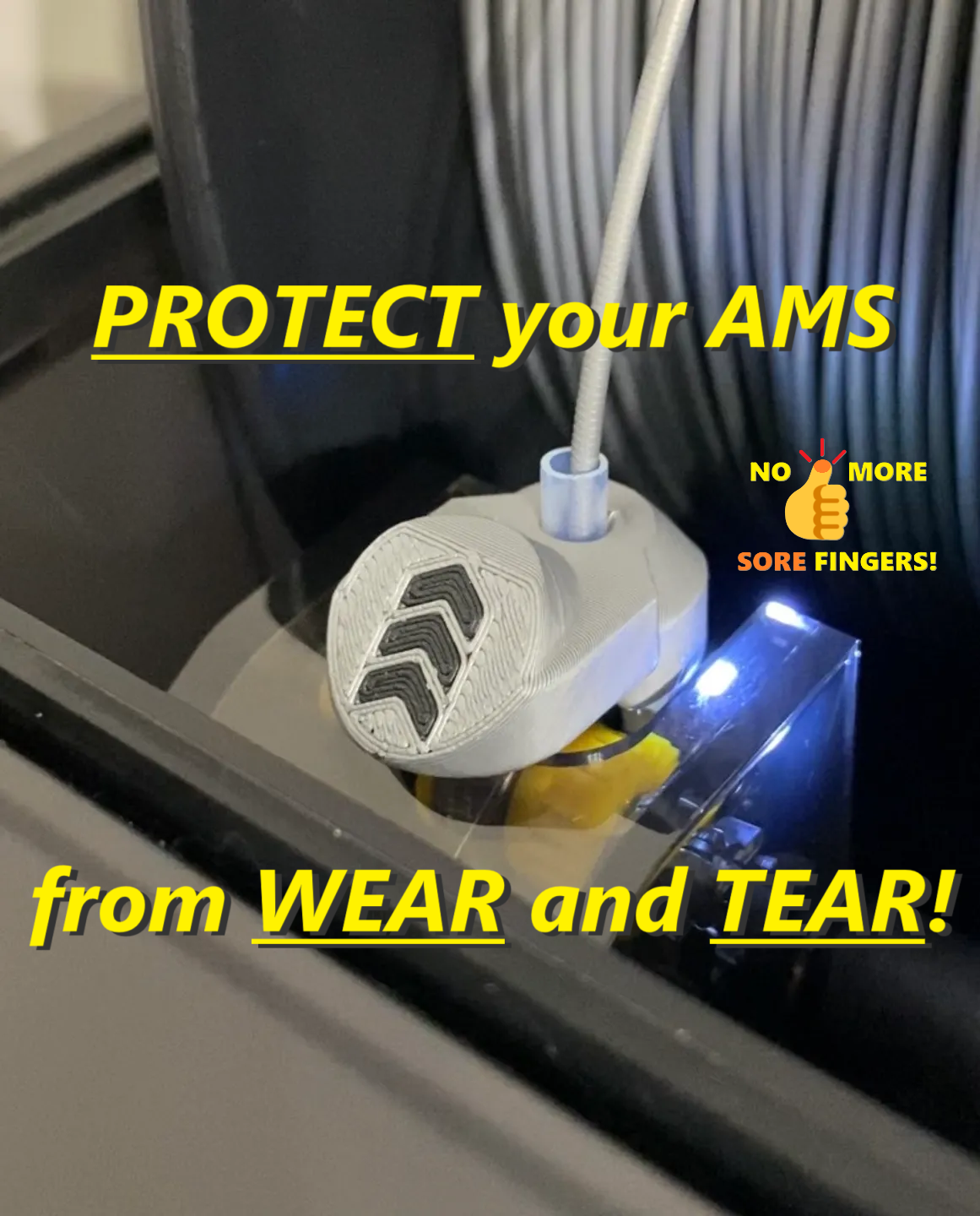
About this 3D model
?Are you looking for Protector/Saver for AMS 2 Pro ? Then click here ! ? AMS 2 PRO Feeder Protector Saver Filament Guide ⚠️Since I can't offer profiles that are perfectly tuned to every filament (MakerWorld treats them as a duplicate upload), I have a universal profile here, and I recommend printing this profile/design with PETG (just ignore filament in profile and choose PETG in BambuStudio or APP). According to numerous user feedback, PETG has always produced the best results with this design! ???Quote from user feedback: “… perfect AMS wear protection …” ???Quote from user feedback: “I was having issues for filament detection, this solved it easily!" ???Quote from user feedback: "…finally a design that is minimally invasive and works well all the time, does not fall down during operation, without danger of destroying LED and without having to stick some constructions on the first-stage-motors with double-sided adhesive tape!" ???Quote from user feedback: "...has prevented many pieces of tape from gumming up my AMS...and saved me all the trouble messing with the AMS feeds." ⚠️Working on this complicated model takes a lot of time and if you like my work and want to support me and this design - please BOOST this design (click on the small Rocket ? or „BOOST“ button) ?? Thank you in advance! ? ! Please take bed adhesion very seriously when printing these little helpers, use 3DLAC OR GLUE STICK if necessary, BUT not BRIM , if you will nice Logo quality! In my printprofile the color sequence is set so that the logo color is printed first in order to get very nice, sharp contours. When BRIM is switched on, Brim will also be printed in LOGO color and unsightly marks will be left on the edges ! ⚠️Important! There are several reports that AMS units, that arrived to users from 08.2023 had a slightly changed configuration of the feeding funnel. The AMS Funnel Buttons on the new units are thicker. ⚠️Update from 25.07.24 → new 4.1. Versions for new revisions of AMS! (after 08.2023) v.4.1.Arrows v.4.1.BL ⚠️New 4.0. Versions for older revisions of AMS (before 08.2023) v.4.0.Arrows v.4.0.BL UPDATE 30.10.2023 I have added a new version 2.0, it fits the old and new revisions of AMS feeding funnel . Aside from that, in Version 2.0 the PTFE tube is inclined towards the spool. This should ensure even better filament guidance and is particularly perfect for Hymera Mod User to do not have any contact of PTFE with AMS Lid. You can find this v.2.0 of Perfect Fit Bambu Lab AMS Feeder Button Cover Protector for ALL revisions of feeding funnel HERE ! Bambu Lab X1 AMS Feeder Button Cover/Protector - “Arrows” - Version I have read some reports that the abrasive filaments "grind" the feeders from AMS (which are themselves from the plastic) very quickly! And this problem may affect the loading and unloading filaments ! I found an interesting feeder cap at Printables (thank you, Maverick Ng, for sharing your model! https://www.printables.com/de/model/360318-bambu-lab-ams-feeder-button-remix ) and reconstructed it a little so that the cap sits very stable on the feeder and can still be easily pulled on and removed. Look at Installation-Video on my Instagram Channel - its very easy! :-) For this version, with the straight PTFE path, I achieved the best results with the PTFE length of 12mm. I used a replacement PTFE tube that came with my Bambu Lab X1 Carbon. This small and very quickly printed tool offers a simple, repeatably accurate and safe way to cut the PTFE inserts for the popular AMS protectors/savers. The cut edge remains precisely square! Please read the print instructions carefully! They are important so that the small parts can be printed correctly and then sit and hold well on the feeder! If you have done everything right and the protectors should still fit too loosely - you are welcome to use the stiffer version - the jaws are 0.4mm thicker: https://makerworld.com/de/models/41859#profileId-42399 Print / Install Instructions: place them with the logo on the build plate first layer line width: 0,35 (0.4 mm Nozzle) first layer speed: 10ms per second (for perfect look of the button-surface) 2 perimeter, 4 top/bottom layer, 20% infill take better PLA/ASA - they are stiffer, for better hold on the feeder print layer height: 0.16mm and WALL generator: Classic (in this case please no Arachne) !!! It is helpful to swith your Bambulab Printer from “Standard” Speed to “Quiet”! If you have weak adhesion for PLA on your plate - feel free to use a gluestick or brim! Cool recomendation from User SHAYDED (Thank you! :-): “ If you are struggling with sagging, move the parts closer to the aux fan, orient the overhang towards it, and crank it up to 70-100%”. I had no problems with sagging (just printed 4-5 of them at once and slow), but why not? :-) Take a look for Video/Post about this model on my instagram channel: https://www.instagram.com/eds_3d_shop/ !!! Please take a look at this video, here you can see how you can easily get these protect