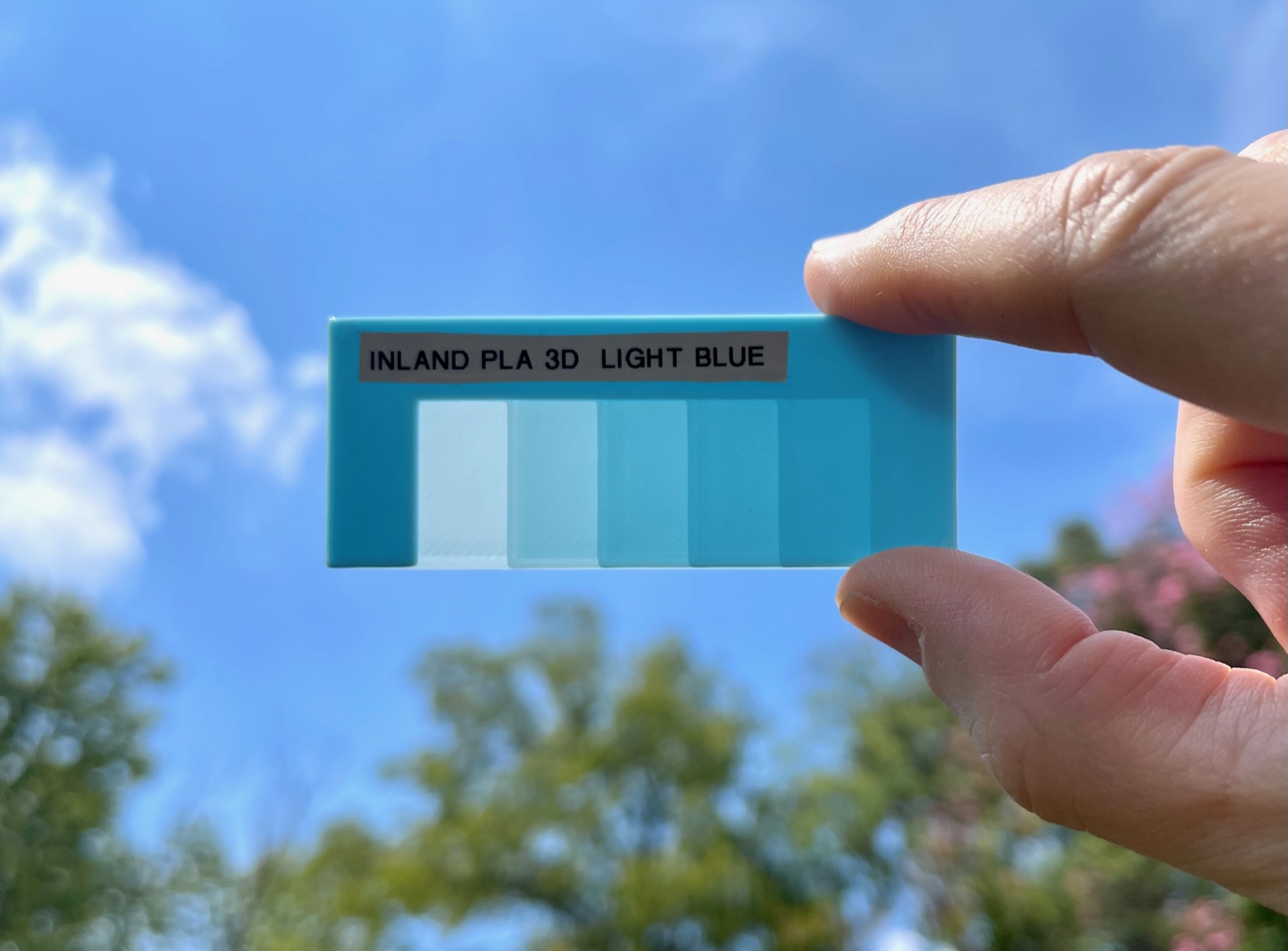
About this 3D model
This is a simple color swatch with a place for a label at the top. The squares below show thicknesses and transparency. The size is 75mm by 30mm and is 1.5mm thick. It prints quickly in under 12 minutes. Each square below varies in layer depth from .25, 0.5, 0.75, 1.00, to 1.25. I print and design in .25 layer spacing so wanted this spacing on the swatch. The swatch frame surround is 1.5mm thick. The side thickness of each transparency square is purposely exposed to the outside so you can measure and verify the real world thickness with a caliper so you don't need to write it on the card or increase print time to add a frame on the bottom to show it. There is a place at the top to write with a permanent marker or place a descriptive label like I did from a label printer. I use a simple Brother P-touch label maker with the smallest font and then cut the labels down to size with scissors. I designed this in Fusion 360 because I was overwhelmed with the number of swatch choices and wanted one that looked just like this with these layer height increments, room to place a label, and ability to measure transparency zones, and it was more simple to just design it myself. I also made this tray/box to store these - https://www.printables.com/model/570468-filament-swatch-box-or-tray How to print swatches: Print at 100% infill so we get solid sections so we can compare transparency with no infill Print at .25 layer height to match the design so we get one layer per height level of the design at .25, .5, .75 and so on print first layer height at .25 Use top and bottom fill of aligned rectilinear so the light doesn't catch the infill patterns unevently