About this 3D model
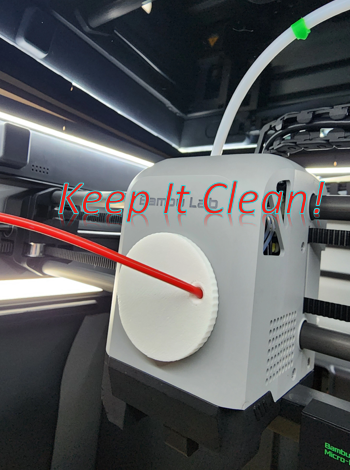
Keep it clean folks! The Print Head Fan collects dust and that dust reduces the effectiveness of the fan and can end up in a print. It's simple to keep it clean with this effective adapter for using compressed air. Features: Fits accurately in the Print Head cover Positions the compressed air tube at the correct angle and position for optimum results Removes dust in the fan and the ducts Makes a satisfying “whizzing” sound as it cleans each fan blade Instructions: Please a clean towel on the print plate to catch any dust and debris Insert the Compressed Air Tube on the flat side of the “Clean It” Make sure the tube does not extend past the end of the back side of the “Clean It” Place the “Clean It” on the Print Head cover. It will auto-center and be flat on the cover and hold it in place with your thumb. Press the compressed air slowly until you begin to hear a “whizzing” sound. Repeat a few times That's it! Make sure you check out my other Bambu Printer Accessories - Click Here