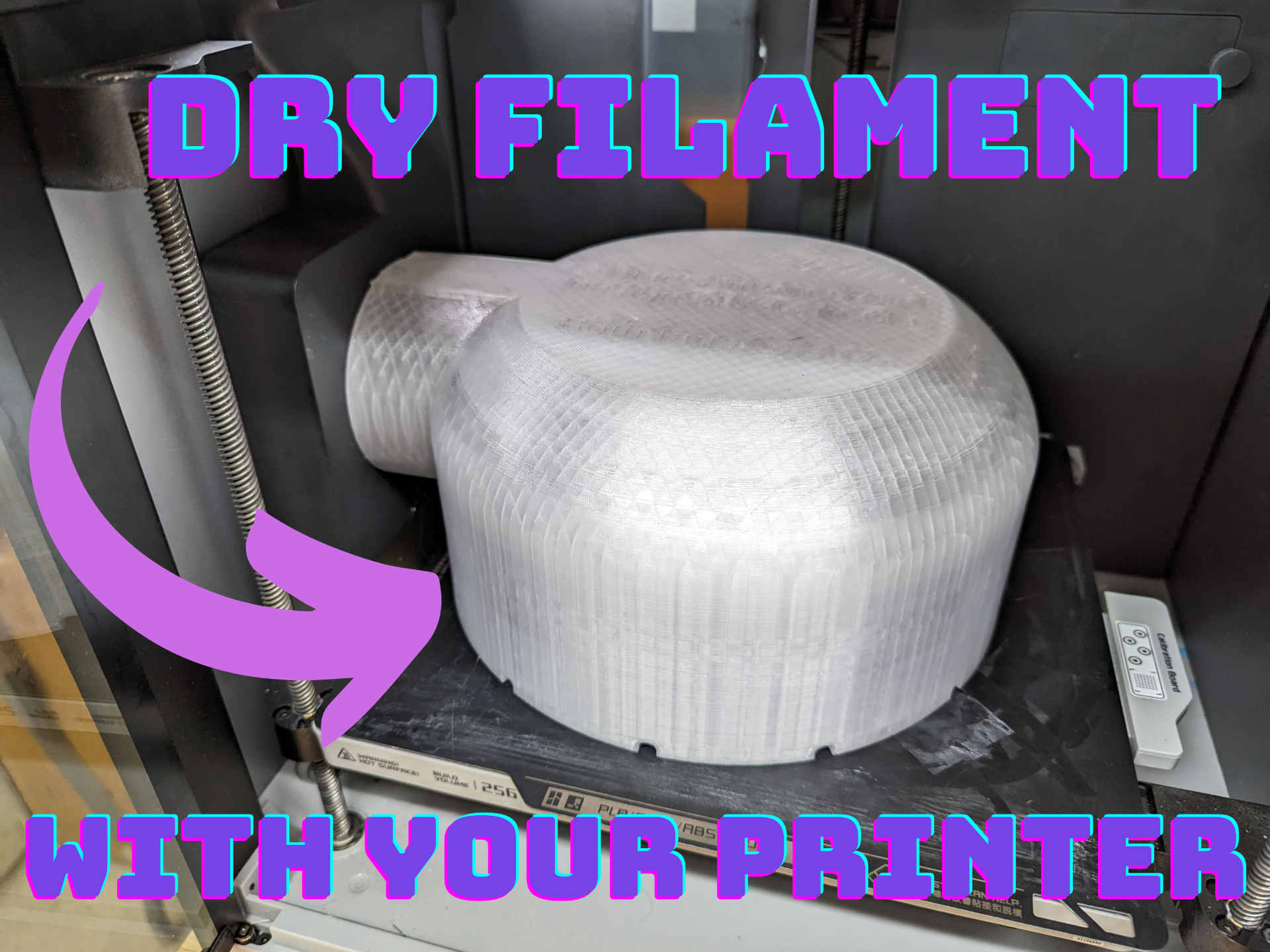
About this 3D model
STEP files available in “Download STL/CAD Files”! Leverage the Aux Fan and heated bed in your X1/X1C/X1E/P1S to act as a filament dryer. Most new recent filaments from Bambulab like PLA Silk+, PLA Wood, PETG HF, TPU 95A HF and TPU for AMS require drying. Here's a solution! Printing The design is printing friendly (PC with 65° overhang or ABS with 50° overhang) and designed to maximize speed, minimize filament usage while having good thermal isolation properties. You should be able to get good enough results even if your roll is moist; permitting you to bootstrap your cooking. Print with ABS or PC. Do not use PLA or PETG because their melting temperature is too low. An option is to do the first with ABS so you can cook your PC. Then print it again in PC. That said, my ABS cover was able to sustain 95℃ bed temperature overnight just fine. As a matter of fact, the Bambulab Reusable Spool is made of ABS! The cover is designed for the AMS spool sizing, which is 202 mm in diameter and 70 mm wide. Print settings 0.4mm nozzle, 0.20mm Standard, 10% infill, infill direction: 0°, rectilinear infill (20min faster than grid), Seam position Nearest. Optionally use brims if ABS, not necessary with PC. Use "Auto Orient" then "Arrange all objects" with "Auto rotate for arrangement" checked. It should put the cover at 45° on the bed. If not, place the cover top down at 45° on the bed by rotating 45° on the Z axis. Printing time is 5½h~6½h and uses less than 220g of filament. Usage Cooking Do not use the Dry filament program in the printer. We can use slightly higher temperatures for better drying because of the airflow. ♨️ Tested with both ABS spools (Bambulab) and cardboard spools (Overture, Polylite). Put the high temp plate. Adjust the plate Z height at the level where the cover's exhaust is at the Aux fan. Put the Aux fan and Chamber fans at 30%. Increase the bed temperature to the desired level (between 70℃ and 95℃). See https://maruel.ca/post/bambulab_filaments/ for a one pager including bed temperature for popular filaments. Let your spool cook overnight. Turn mid-cook if you are insomniac. After cooking To cool down the plate, put the Aux fan and Chamber fans at 100% and press Home. Leave the door open and the bed should cool down within 3 minutes or so. Don't forget to switch plates if you print PLA or TPU. Note that if you take a high temperature cooking filament and directly put it in the AMS right after, the filament will have the AMS gears deform the filament a little. It doesn't seem to be a problem. Already have a Sunlu FilaDryer S4? Try my wall mount model at makerworld.com/models/674180 ! Contact and Feature Requests The design is fully parametric. Contact me ( maker@parchedspool.com ) or on MakerWorld directly if you want: Different spool sizes; provide me the diameter and width . Sell printed versions. You'd like me to design these: An integrated hygrometer for 2.50$USD from Bambu's Maker's Supply. A P1P / A1 version with a small fan and hygrometer for 16$USD from Bambu's Maker's Supply. TPU for AMS is 68D, which is quite rigid, tolerates high temperatures and can be printed without enclosure (unlike ABS or PC). Given many of Bambulab's new filaments require drying, it could be a good idea? Please reach out if you'd like one, I'd like to judge demand first before designing one of the above. Thanks! Boost Me I'm making my models freely available. While I often make them for myself first, it takes a fair amount of time to create pictures, print profiles and documentation so it's easy to print for you. If you find this design useful, please consider supporting with a boost (and feel free to leave design suggestions!). Thank you for the support!