About this 3D model
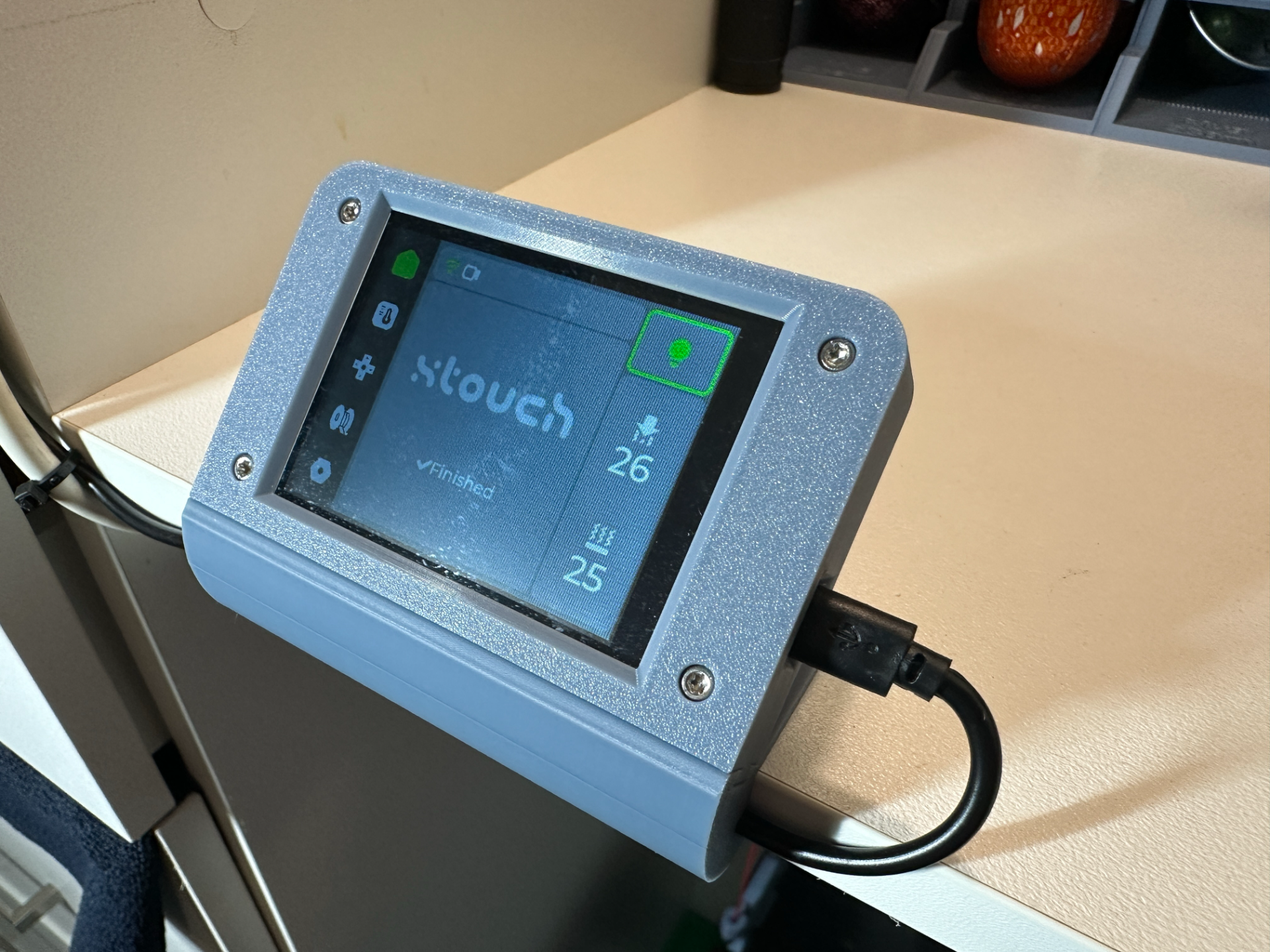
P1 Touch (v1) A case designed to house the ESP32 display and mount to a shelf or free standing. This display loaded with the XTouch software gives you a touch interactive and informative display to control and monitor your BambuLabs printer. I found the best orientation to print is shown in image 3. Machine Configuration - Printer: BambuLab P1S Plate: Textured PEI Plate Hot end: 0.4mm hardened steel nozzle Filament: Bambu Labs Matte PLA My Process settings for this print 0.16mm Standard - Default with the below changes - Strength- Wall Loops - 3 Detect Thin Walls - Checked Sparse Infill Density - 40% Support- Enable Support - Checked Type - Normal(auto) Others- Brim type - No-brim Nuts and Bolts 4x M2.5 x 12mm x 0.45p Metric Coarse Stainless A4-70 G316 Socket (T8) https://www.boltandnut.com.au/machine-screws/cap-head/m2-5-x-0-45p-metric-coarse-stainless-a4-70-g316-socket-t8-machine-screws-iso-14579 4x M2.5 x 0.45p Metric Coarse Stainless A4-70 G316 Hex Nyloc Nuts https://www.boltandnut.com.au/m2-5-x-0-45p-metric-coarse-g316-stainless-hex-nyloc-nuts Display ESP32 Arduino LVGL WIFI & Bluetooth Development Board 2.8" 240x320 Smart Display https://www.ebay.com.au/itm/374612513389 8/16GB Micro SD Card In order to configure the display to connect to your machine, check out the below linked YouTube video https://youtu.be/ZLbnodw8WMw?si=s1RXh7XSJZjHl1fW