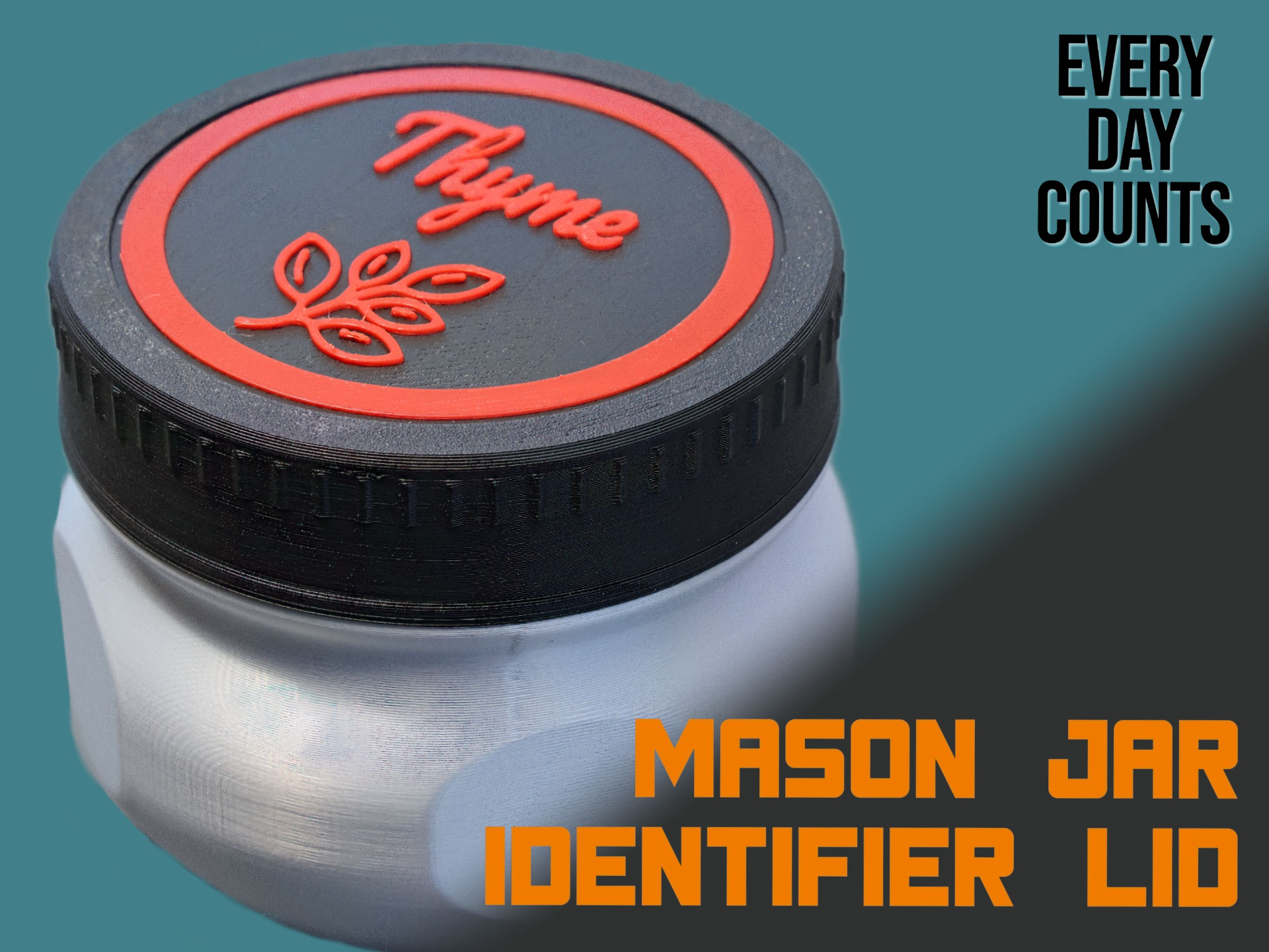
About this 3D model
This mason jar lid is designed to fit any of my mason jars, including the standard, short, tall, super-tall, and super-tough variants. It does not fit the MEGA mason jar (obviously). NOTE & WARNING: This may not fit your glass mason jars. See the comments for more information and tips. It seems that ‘mason jars' vary in size around the world. See my profile page for all of my mason jars (and other helpful stuff). Could you go on, I dare you to? The lid is designed to take a badge that can be generated by the Make My Sign from MakerWorld ( https://makerworld.com/en/makerlab/makeMySign ). Please follow the instructions below. Create a sign/badge highlighting what you put in the jar. Go wild - at least wilder than my pathetic examples! Badge Instructions Visit Make My Sign from MakerWorld ( https://makerworld.com/en/makerlab/makeMySign ) Press the ‘Create from Blank’ button (near the top) Choose the ‘Pet Tag’ template (because it's round) Remove the hole Change the dimensions to 65mm x 65mm. Set the border to be offset by 2mm (whichever weight you choose) Set the thickness to 1mm. Style the badge as you want When complete, download the design and open in Bambu Studio for printing. Badge Mounting The badge is inserted from the underside of the lid. Press it into place (very firmly) and ensure that it clicks into place. Work around the outside edges. Check from the top side that it is fully seated. When fully seated, the badge will have a slight upward bow - this is good. I'd love to see some of the badges that you print. I'm needy and desire the feedback.