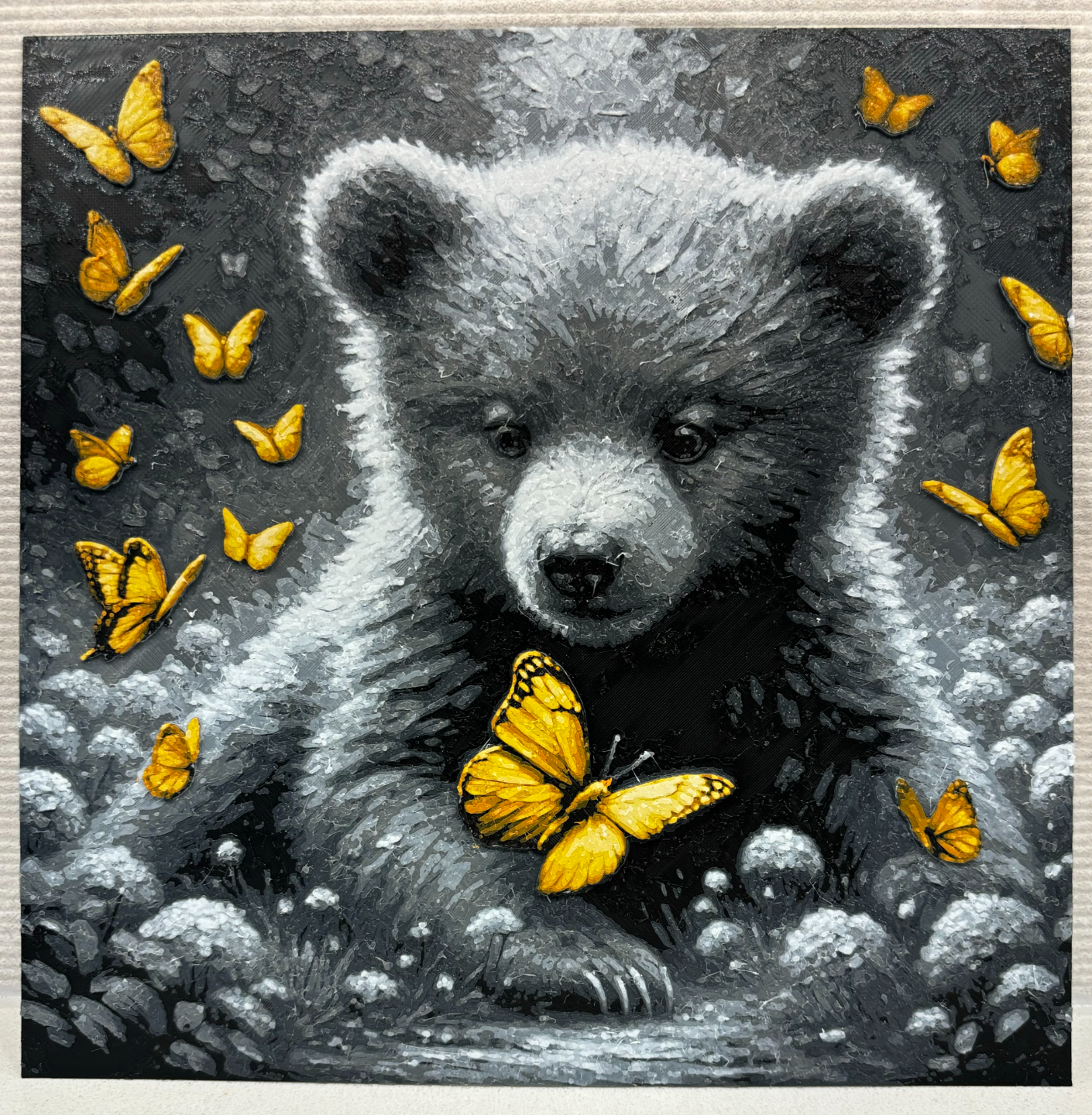
About this 3D model
Brown Bear : https://makerworld.com/en/models/102546#profileId-109203 Grayscale Bear : https://makerworld.com/en/models/102545#profileId-109202 This model has been carefully designed to look great with 6 colors. It is printed with filament swaps and can be printed with or without an AMS. No AMS necessary to print, but it does make it easier. No AMS : Slice the file Change the filament swaps in the model to pauses Replace the filament color every pause according to the instruction below 1 AMS or AMS-lite (A1 mini , A1) : When starting the print use existing slots for extra colors 1st color : slot A1 2nd color : slot A2 3rd color : slot A3 4th color : slot A4 5th color : slot A2 6th color : slot A3 When you are done printing the a specific slot, swap out the color mid print without pausing. 2 AMS: Print away! When scaling the model, scale in the X and Y direction only. Leave Z at 100%. Please ignore warning of the floating regions, they are the Antennae of the largest butterfly Color Settings : Print at 100% infill with a layer height of 0.08mm with a base layer of 0.16mm Filaments Used: PLA+ IIID Max Black Transmission Distance: 0.5 PLA+ IIID Max Gray Night Transmission Distance: 0.8 PLA+ JAYO Meta Grey Transmission Distance: 3.4 PLA+ IIID Max White Transmission Distance: 5.6 PLA+ IIID Max Black Transmission Distance: 0.5 PLA+ IIID Max Burnt Orange Transmission Distance: 3.6 PLA+ IIID Max Yellow Transmission Distance: 5 PLA+ IIID Max White Transmission Distance: 5.6 Swap Instructions: Start with Black At layer #7 (0.64mm) swap to Gray Night At layer #10 (0.88mm) swap to Grey At layer #13 (1.12mm) swap to White At layer #20 (1.68mm) swap to Black At layer #22 (1.84mm) swap to Burnt Orange At layer #25 (2.08mm) swap to Yellow At layer #28 (2.32mm) swap to White for the rest.