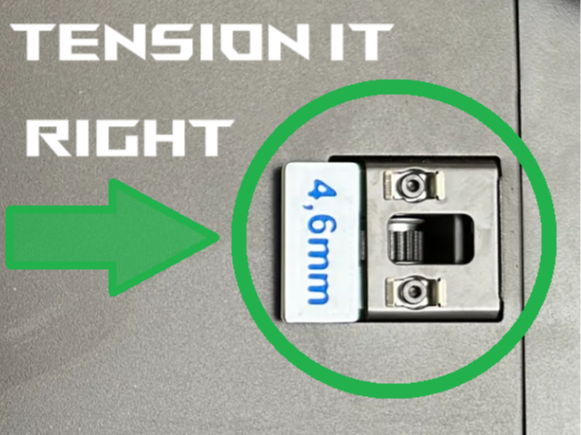
About this 3D model
Boost Me IF YOU LIKE THIS MODEL GIVE ME A “THUMBS-UP” SO MORE PEOPLE CAN DISCOVER THIS MODEL. THANKS If you need to tighten your timingbelts in case they got a little loose or your printer is making strange noise because of loose timingbelts, or just for regular maintenance, this little helper will guide you. (need to print twice to have a pair each) Steps as followed: -loosen the 2x2 screws eaxh side. (just loosen! do nut fully unscrew!) -move the Toolheadfrom the back all the way to the front for setteling the belt. -measure wich of the distancing plates fits now and add about 0,6-0,8mm. (BambuLab suggests to add a max of 1.0mm each side wich is quiet a lot. If 4.0mm fits loose go for 4.6-4.8mm) -take the distancing plate and plug it in like in the Picture. -repeat on the other side. -if done thighten the screws back in (with distance plates still in there) -remove the plates -at first start you need to do a Calibration cycle Thats it. Now your timing belts are back on track!