About this 3D model
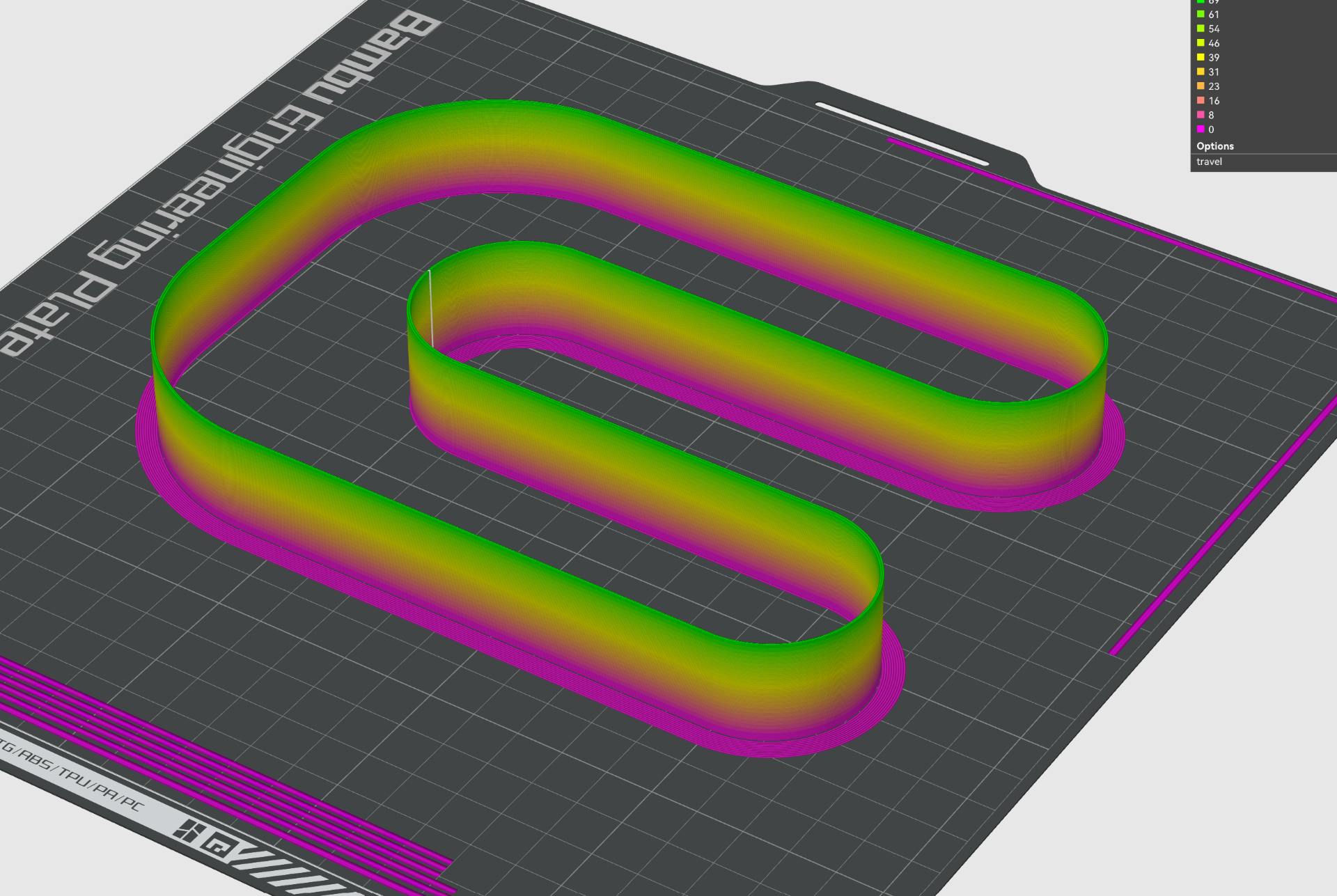
Description remix from the original author : Max flow test for bambulab slicer WARNING speeds at the top of the tower set up to *69*mms, the tower increases perimeter print speed by 3mms every 1mm of z height. How to set it up setup for x1c generic PA 0.4mm nozzle (change to match your printer and nozzle) set what filament you would like to print in and adjust max volumetric to something high like 15mm3 and turn off slow printer down for better layer cooling in the cooling tab slice and print to model and stop the print when you see it starting to undextrude or have inconsistencies in the layers. mesure from the bottom to where the last layer that looks perfect. Now measure from the bottom to the height where the print still looks good in quality, find roughly what layer it was at in the slicer, and the VOL flow rate is: Volumetric Flow Rate (mm3/s) = 0.212 × Height (mm) + 0.057 For example, I measured 10mm in height so 0.212*10+0.057=2.177mm3/s To be safe you can set it about 10% less than calculated. Height (mm) Layer Flow Rate (mm³/s) 0 0 0.057 1 5 0.269 2 10 0.481 3 15 0.693 4 20 0.905 5 25 1.117 6 30 1.329 7 35 1.541 8 40 1.753 9 45 1.965 10 50 2.177 11 54 2.389 12 60 2.601 13 65 2.813 14 70 3.025 15 75 3.237 16 80 3.449 17 85 3.661 18 90 3.873 19 94 4.085 20 100 4.297 21 105 4.509 22 109 4.721 23 115 4.933 you can also use the seam to check where flow and acceleration is becoming an issue