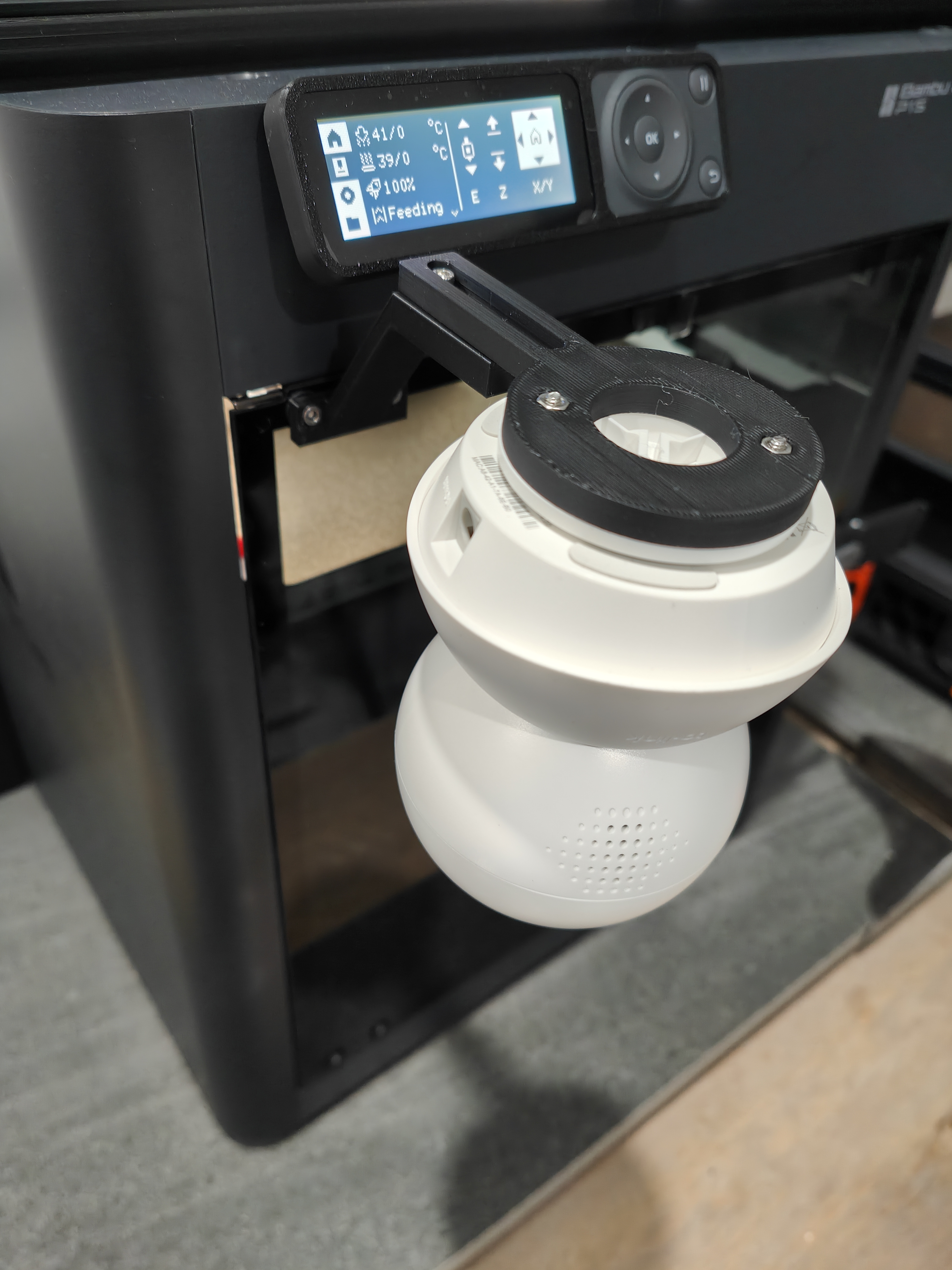
About this 3D model
Side facing door mount for TP-Link Tapo C200/C210 cameras for Bambu Lab printers. Features : Door can be fully opened without needing to move the camera Camera angled slightly down at print bed to better see first layer squish Adjustable camera distance Hidden cable channel for a cleaner look Camera remains easily removable Hardware required : 4x M3 hex nuts 2x M3 x 6 mm screws 4x M3 x 8 mm or longer screws Tapo C200/C210 mount (comes with camera, or can be printed) Instructions : Press fit 2x M3 hex nuts into camera mount Use 2x M3 x 8 mm (or longer) screws to bolt together the camera mount and Tapo mount Run the camera power cable through the rear cable channel of the base and along the top of the arm. The wider portion allows you to twist the cable gently to get around the bends Add 2x M3 hex nuts to the underside of the base arm Use 2x M3 x 6 mm (or longer) screws to bolt together the base arm and camera mount Remove the 2x screws at the upper left of the printer door. Keep the washers in place Use 2x M3 x 6 mm screws to bolt the base to the door Mount the camera by twisting it into the Tapo mount Print settings : Print as orientated Support: no (overhang is only 55 degrees, should be easy to print) Overhang speed: if having issues printing the overhang of the base, try 20 mm/s Notes : Adding better lighting (e.g. riser and LED strip or ring light) will improve the glare and image quality