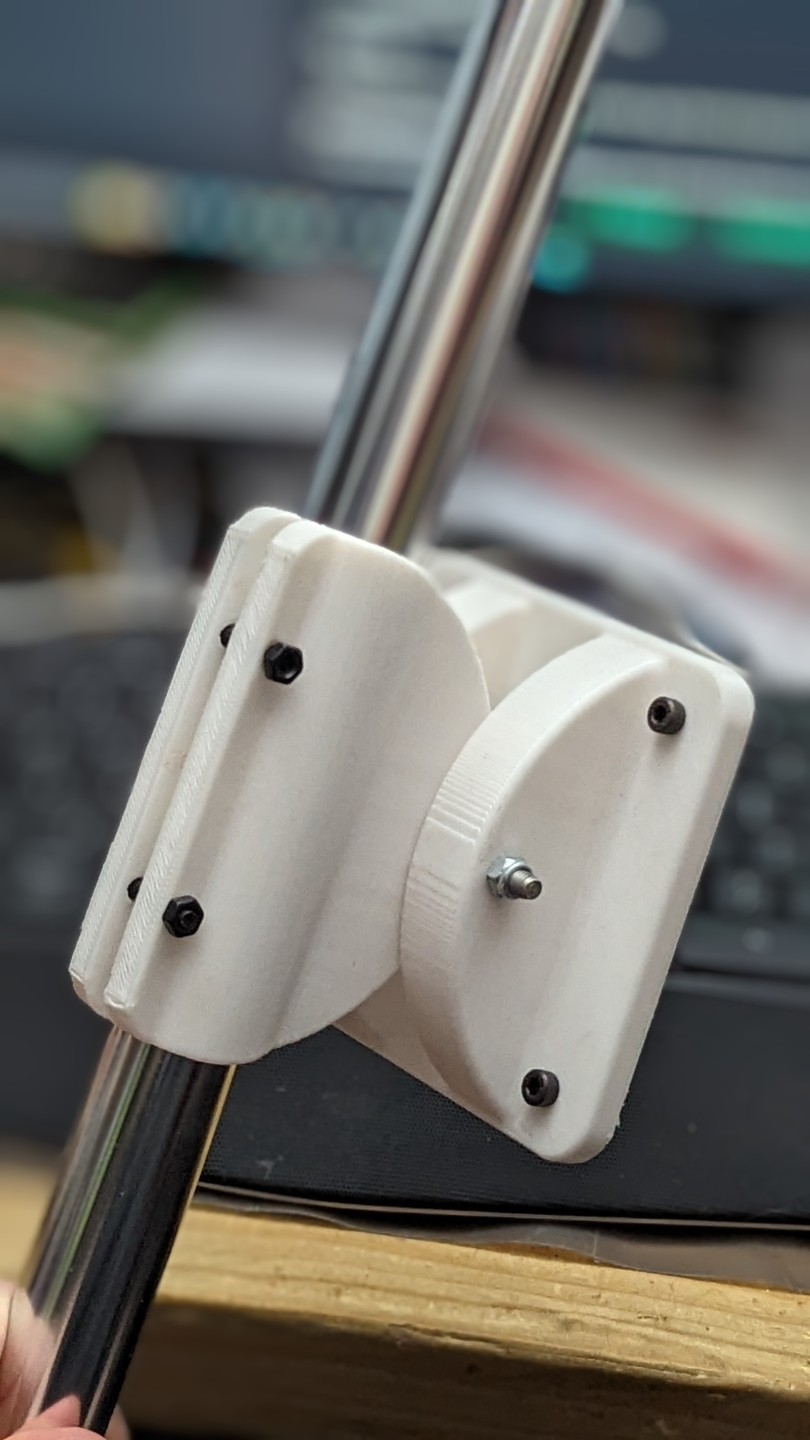
About this 3D model
Designed this for a project, to mount a 16" portable (USB Powered) HDMI monitor onto a 1" mast, on a robot. The monitor most importantly used a 75x75mm VESA pattern. For my project, I used a 1" shower rod, from home depot. This exact rod ( 60 in. Aluminum Builders Shower Rod in Chrome), but you could mount this to any 1" pole really. https://www.homedepot.com/p/Glacier-Bay-60-in-Aluminum-Builders-Shower-Rod-in-Chrome-HD14016/205699635 For attaching the two pieces together, I used an M3-0.5 x 16 mm Machine Screw w/ M5-0.8 Nylon Lock Nut, from home depot. https://www.homedepot.com/p/Everbilt-M3-0-5-x-16-mm-Phillips-Pan-Head-Stainless-Steel-Machine-Screw-2-Pack-842718/204846005 https://www.homedepot.com/p/2-Pieces-M5-0-8-Zinc-Plated-Metric-Nylon-Lock-Nut-803678/204274144 For mounting the mount to the pole, i used a 30mm M4 Hex Socket Head Cap bolt and nut, from end to end, on the screw tightening the clamp to the pole, from this kit: https://www.amazon.com/gp/product/B09TYR314X/ For the VESA mount screws, use the screws recommended by your monitor, but they must be M3 or smaller, else you could drill/file the hole out a little bit. WARNING: DO NOT use a screw TOO LONG, as it could DAMAGE your screen. Please reffer to the screw manual for screw dimmension requirements, or contact the manufacturer. For my monitor, it was M4*4mm screws, which barely protrude past the mount, intentionally. Final note: Wall counts are important, as it will determine the ability for you to separate the clamp the first time, and will dictate its long term survival with cycling it on/off a pole. Maybe not as important if you are putting it on once, for ever-ish.