About this 3D model
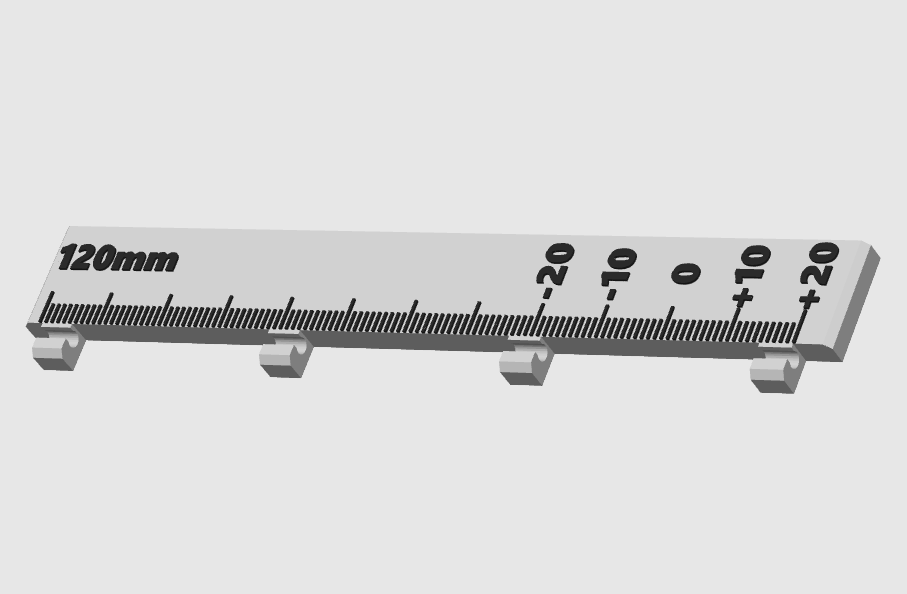
Simplify your e-step calibration process with this simple tool. It is graduated at every millimeters. The process is simple, you put a mark at 120mm, then extrude 100mm, then check how far you are from the 0. NOTE: For more reliable result, the filament should be able to move freely, so it is better to remove it from the hotend or to remove the nozzle before doing this. How to use it: Clip the calibration helper onto the filament and place it somewhere it will not move as the filament passes through Use a sharpie to mark the 120mm point Slowly extrude 100mm of filament Check the result. The sharpie mark should be aligned with the 0. A +10 would means that you overextruded 10mm (so 110mm total). A -10 would means that you underextruded 10mm (so 90mm total). Ajust your extrusion factor if necessary If you ajusted the extrusion factor, repeat the process to validate the new value.