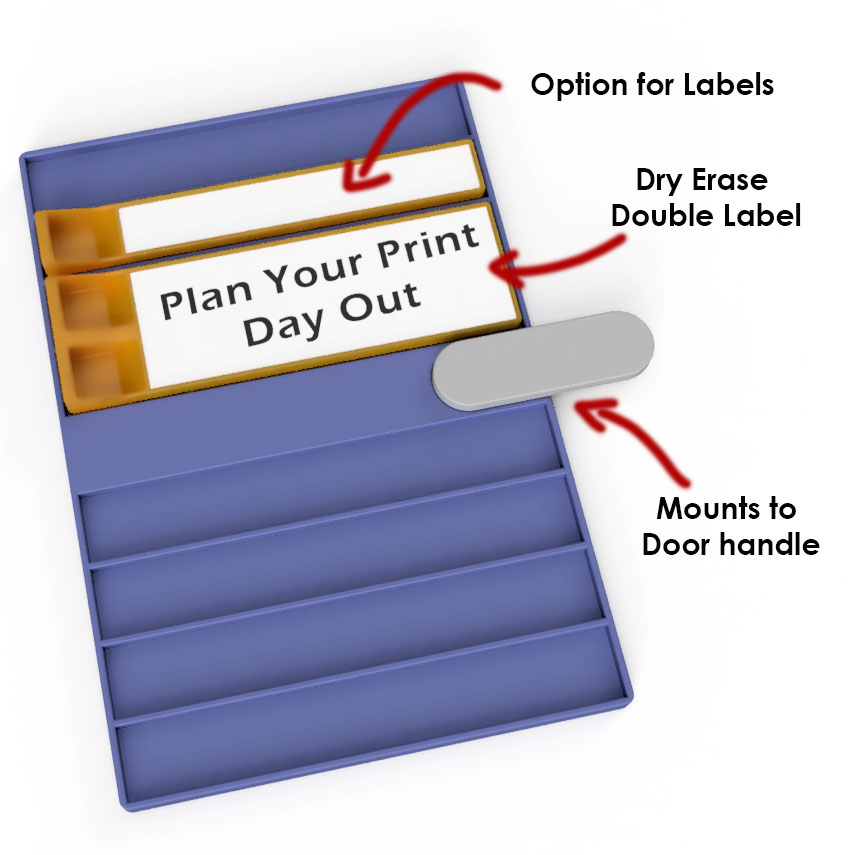
About this 3D model
Do you have trouble remembering what you are supposed to print next? Yeah me to. i wish Bambu had a print que feature, but they dont….. So I designed this production planner that simply screws onto the handle for the door. steps Print the files. I suggest using plate 1 to test one lable holder to make sure the hole sizes are correct. Add labels using the text tool ( https://wiki.bambulab.com/en/software/bambu-studio/3d-text ) If you have an AMS go for the for the extra custom look color them by layer height range ( https://wiki.bambulab.com/en/software/bambu-studio/color-painting-tool ) . Press fit magnets ( I used these 4x2 magnets https://amzn.to/3Us8bYH ) Remove handle, fit it into the slot on the planner and screw it back into place. works with standard label maker labels or for the double labels I use these dry erase magnets (but I super glued them in place) https://amzn.to/3UxJF8C dont use the fat dry erase markers like shown. buy these. they are so much better, and cheap. https://amzn.to/3UvJjzn Print Away