About this 3D model
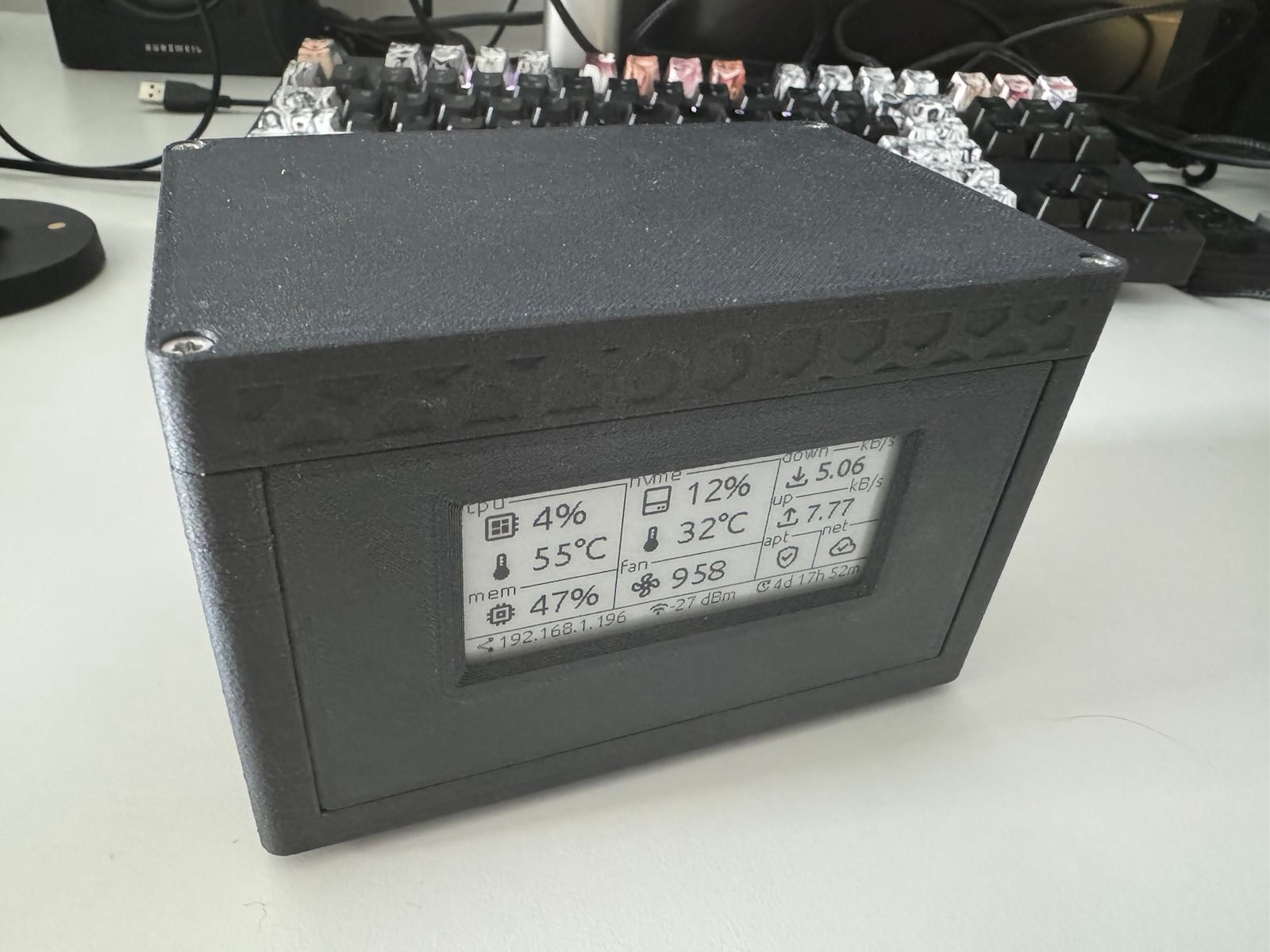
ZlsNas Documentation Introduction I've created a 3D-printed case for Raspberry Pi that integrates the Geekworm X1001, a cooling fan, and an E-Ink display module for real-time stats. Components Raspberry Pi 5 : The core of the setup, providing processing power and connectivity. Geekworm X1001 PCIe M.2 Key-M NVMe SSD PIP PCIe Peripheral Board : Enables the connection of an NVMe SSD for fast and reliable storage. 60x60 mm, 5V Fan : Preferably the Noctua NF-A6x25 5V PWM for its efficiency, although any compatible 60x60 mm 5V PWM fan will suffice. E-Ink Display Module, 296x128, 2.9 inch : Displays system stats and notifications. Hardware Requirements The assembly of ZlsNas requires precision fasteners to ensure secure mounting and optimum performance: Threaded Inserts : 7x M2.5 inserts for mounting the Raspberry Pi and NVMe Geekworm. 4x M3 inserts for securing the case lid. 4x M2 inserts for attaching the E-Ink display. Screws : 4x M2.5 x 12mm screws (used DIN 7991 A2) for the Raspberry Pi from the bottom. 3x M2.5 x 5mm screws (used BN 5687 A2) for the NVMe Geekworm. 4x M3 x 12 screws (used DIN 7984TX) for the case lid. 4x M2 x 3 screws (used DIN 7984 A2) for the E-Ink display. Assembly and Installation Begin by inserting the M2.5, M3, and M2 threaded inserts into the designated spots on the 3D printed case. Secure the Raspberry Pi 5 to the Geekworm X1001 by attaching them to the case-mounted bracket, using M2.5 x 12mm screws for the Raspberry Pi connection and M2.5 x 5mm screws for fastening the NVMe. This method ensures the assembly is firmly held in place within the case. Mount the E-Ink Display to the Raspberry Pi using GPIO pins or a suitable connector, then secure it with M2 x 3 screws. Install the cooling fan in the designated spot, ensuring it is powered. The assembled unit should then be placed into the case, and the lid secured using M3 x 12 screws. 3D Printing Parameters Layer Height : 0.2 mm Infill : 20% Supports Required : No Software for E-Ink Display Find the software for the E-Ink display on GitHub. It includes simple instructions for updating and customizing the display. Visit the ZlsNasDisplay GitHub repository for more details.