About this 3D model
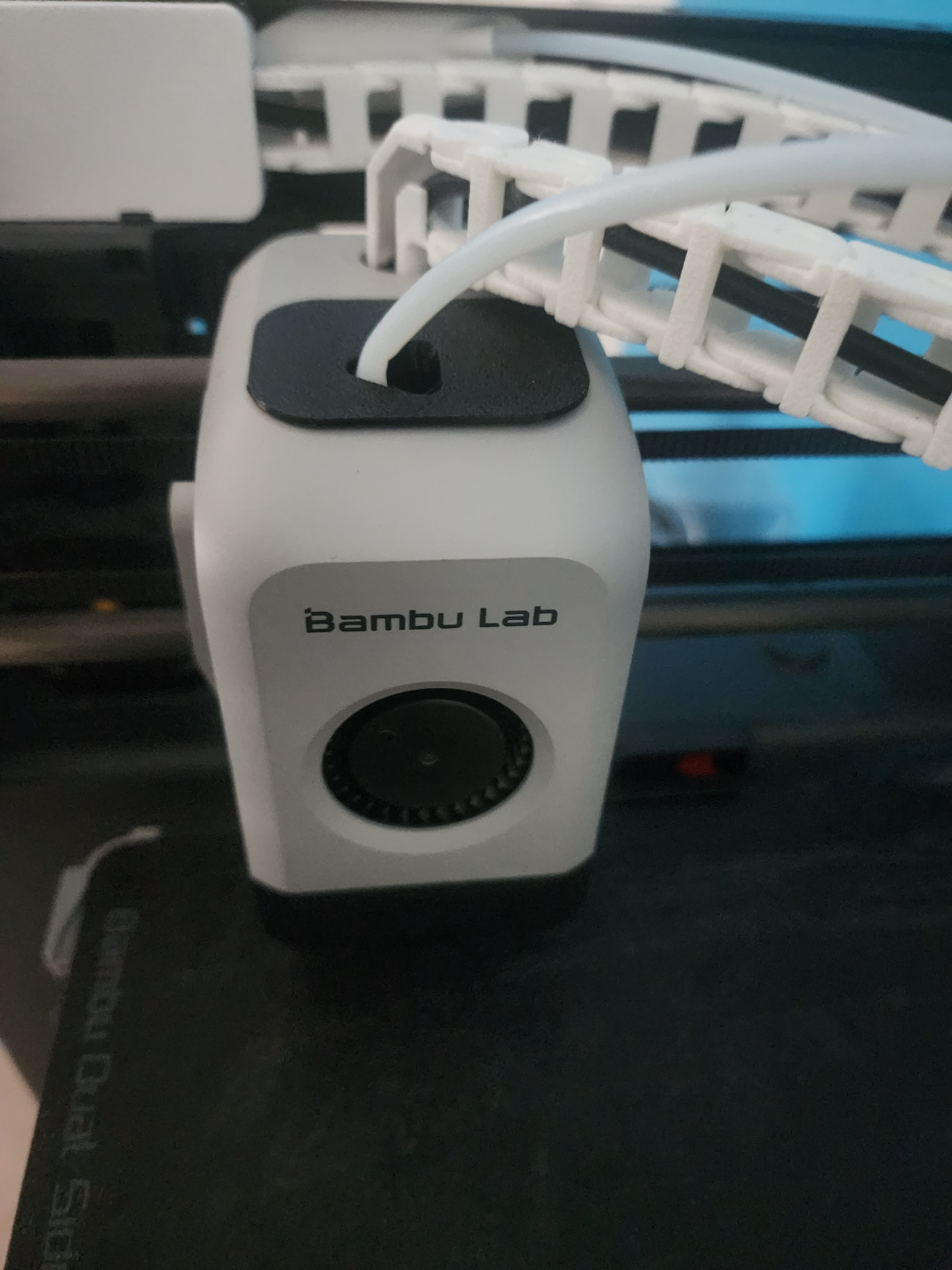
This is a very basic quick print of a dust cover meant for the X1 and P1 series printers. It's features include: More isolated environment inside of the print head. Quick 15 minute print time. Less than 60 second install time. Less of that annoying dust inside of the print head (duh ?). No supports needed. I know many Bambu Lab owners use a printed PTFE guide for their PTFE tube. I have provided another file specifically big enough for the guide to fit. Before installation, make sure to unload the filament so you can remove the PTFE tube. You can print it in any filament, but I personally recommend TPU, as it fits the print head the best. For this, I have also provided a file for the normal and larger cover that has a custom profile designed for Overture TPU, incase you use it. Settings: Supports - No Brim/skirt - No Infill - N/A Layer Height - 0.2mm or smaller Infill Pattern - N/A - Gyroid suggested - Do not use rectilinear Wall Loops: 2 The installation is very simple. Unload filament. Take off front cover (If you unplug the front cover, make sure to power off the power supply first). Engage the PTFE tube connecter by pressing down on it, (see on the Bambu Lab Wiki) and simply pull out the PTFE tube. Feed the tube through the hole on the cover. Go from the bottom to the top. Reinsert the PTFE tube into the PTFE tube connecter. Put the front cover back on the print head. Slide the dust cover down the tube and fit it into the top of the print head. If you used TPU, you should be able to stick it in, but if you used a different material you may have to quickly pull of the front cover to fit the cover in. If you turned off your power supply turn it back on and then load your filament again. (If you are confused about any part of the installation, see the GIF above) If you print this and like it, please upload a make as well as comment or post a rating. I would love to get some feedback from others on how to improve. Modeled in Fusion 360.