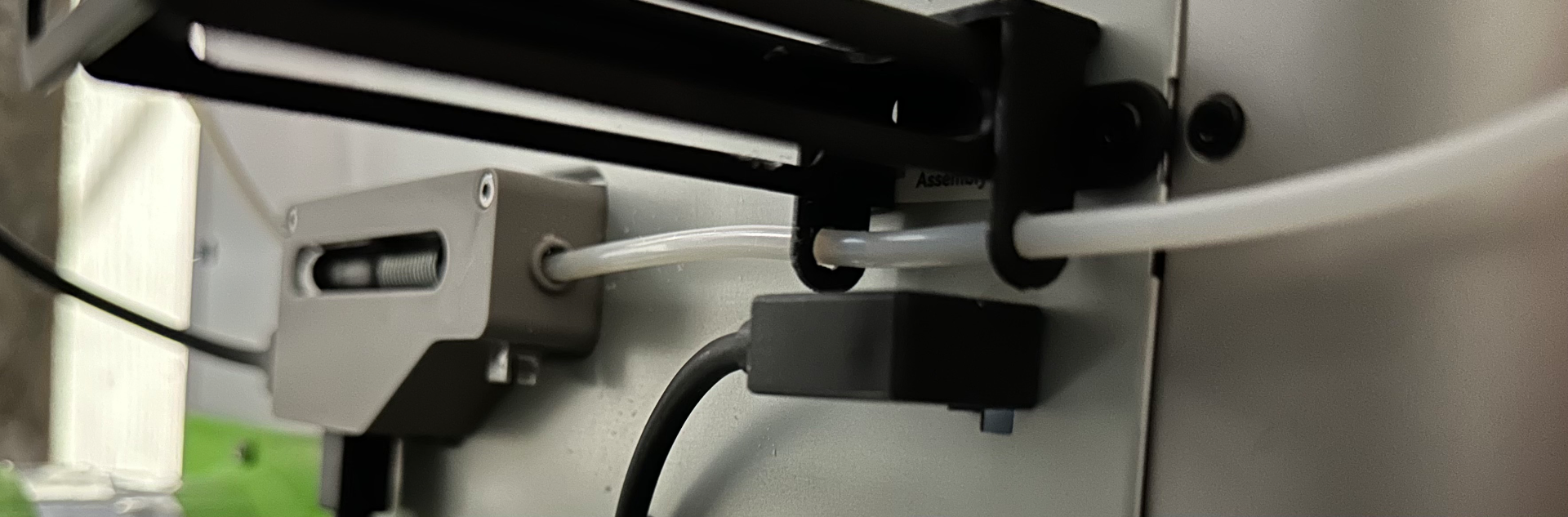
About this 3D model
This little guide controls the flopping of the PTFE as it moves in and out of the AMS hub and keeps the PTFE lined up. A very quick print, any material (probably not abrasives though), no supports, pretty much any setting will do nicely. Be sure to auto-place the model on the build plate. This may help with the mysterious I-was-printing-from-the-AMS-but-the-AMS-disappeared-and-only-the-external-spool-is-shown (along with failure to retract) that can be caused by loss of communication between the AMS and the printer—I discovered that if the PTFE tube is bumping the 4 pin cable or connector, it can cause the communication to glitch. To install, disconnect the PTFE tube from the printer or your Y-Splitter. Snap the guide onto the external spool reel, it installs from the top. Taking care not to bend the PTFE so much that it gets a kink, feed the PTFE tube through the two holes in the guide and reconnect. The PTFE tube should slide back and forth into the hub without binding.