About this 3D model
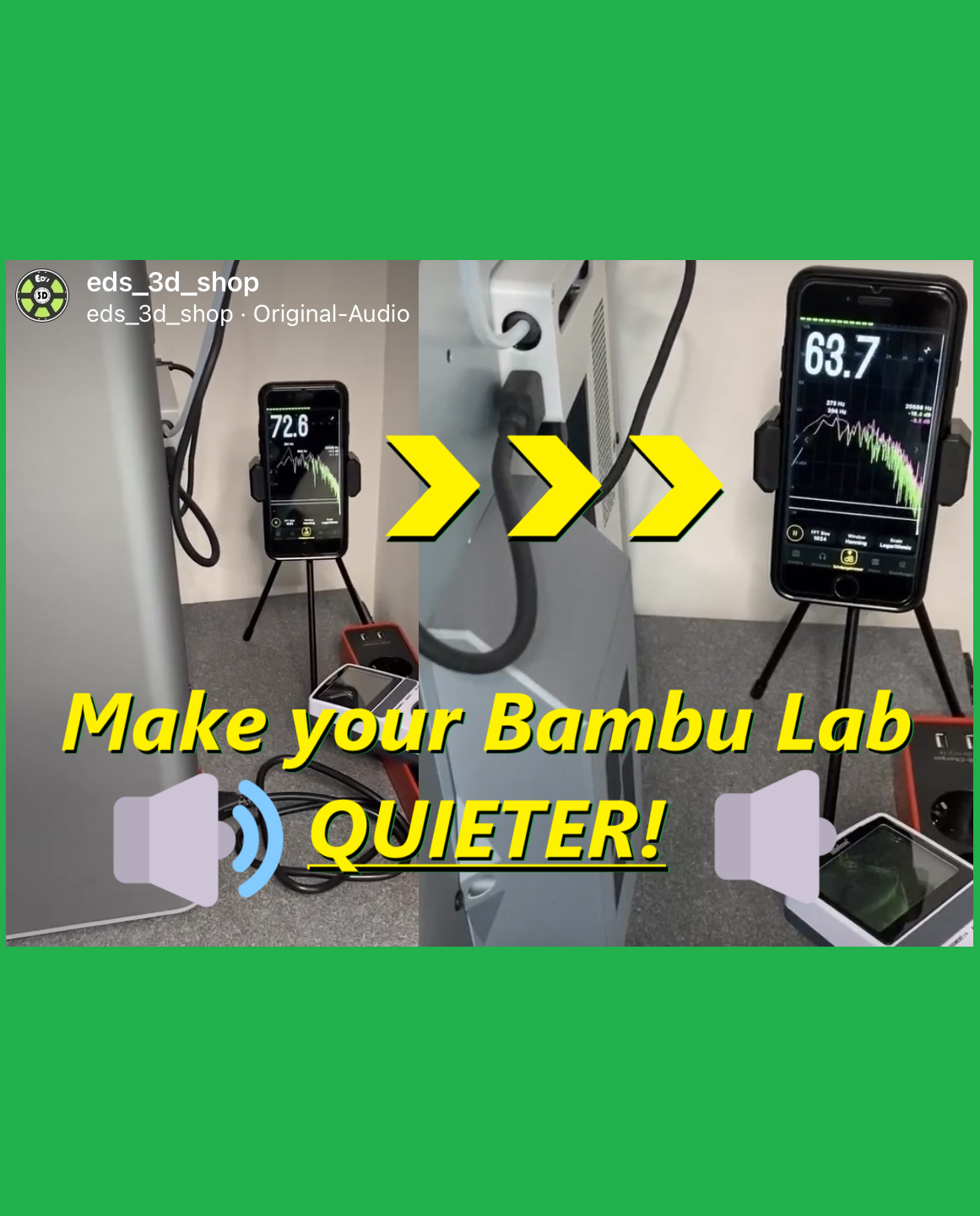
Working on such designs takes a lot of time and if you like my work and want to support me - please print my “Designer” printprofiles! It will help me to design more! Thank you in advance!? Powerfull magnetic Bambu Lab X1 / P1S (full AMS Hub compatible!) Exhaust Fan Muffler / Fan Silencer without Supports/Bridges! (Eds Version) Looks really nice and if you don't use/need screw possibility - this is your version :-) The silencer holds securely with magnets only! (6x3mm - TWO STACKED MAGNETS FOR EACH HOLE! ) ⚠️ If you have other magnet sizes : Exhaust Fan Muffler/Silencer for 8x3mm Neodim magnets . Exhaust Fan Muffler/Silencer for 10x3mm Neodim magnets . Exhaust Fan Muffler/Silencer with Screw Option for 8x3mm Neodim magnets . Exhaust Fan Muffler/Silencer with Screw Option for 6x3mm Neodim magnets . My remix of really cool original silencer of OurAngryBadger! THANK YOU for the step files!!! :-) Main changes - really nice (with big bambu lab logo) and easy print version without supports / bridges! You can't screw it on, but it will hold only with magnets wonderfully! This version is suitable for everyone with and without AMS HUB! :-) I changed the acoustic properties, rounded off the ventilation curve and I tested about ~5-6db average reduction of noise! Insulated with the carpet fleece ~6-7db! Cutting Templates for self-adhesive carpet fleece you can get HERE ! For magnets mounting, you will need up to 16x of 6x3mm magnets (two stacked magnets for each hole). Just glue them in the holes! (The holes are a little bit bigger - as clerance for most of magnets ;-)) If you wont to use additionally the screw option (with one SHCS m3x10mm screw), take a look on these designs Eds Exhaust Muffler with screw option and 6x3mm magnets , or Eds Exhaust Muffler with screw option and 8x3mm magnets Print / Install Instructions: I recommend printing with 4 walls, 6 top and bottom layers, and 0.16mm layer height on Bambu X1. You want a very solid shell so that air/noise doesn't escape as easily. PLA material is fine. After printing, you can glue in magnets into the holes ( you can use up to 16x magnets, but you don't need to fill all holes with magnets, 10 will be enough ;-) I've been using this setup for several months and this simple mod definitely makes my X1 quieter! I don't have any precise measuring equipment for this, but the fan noise has definitely become even more muffled for my ears - see video about on my Instagram Channel: https://www.instagram.com/reel/CmlUerEMyGf/?igshid=YmMyMTA2M2Y= INFO from Wikipedia : “Increasing the sound pressure level by +6 dB corresponds to a doubling of the sound pressure” BambuLab X1 Carbon with AMS Noise level without muffler BambuLab X1 Carbon with AMS Noise level with muffler Testet with “Dezibel X App” (iOS) on old iPhone — ! — Thanks for downloading, rating in advance and please don't forget to like this model! ;-) Take a look at my another very helpful designs for X1/P1P/P1S/A1/A1mini: ? Eds_3D_Shop designs on MakerWorld ? If you like my work and want to support me - please follow me and if you want - you can buy me a coffee! https://linktr.ee/eds_3d_shop Thank you for your support and.. happy printing! Ed ;-)