About this 3D model
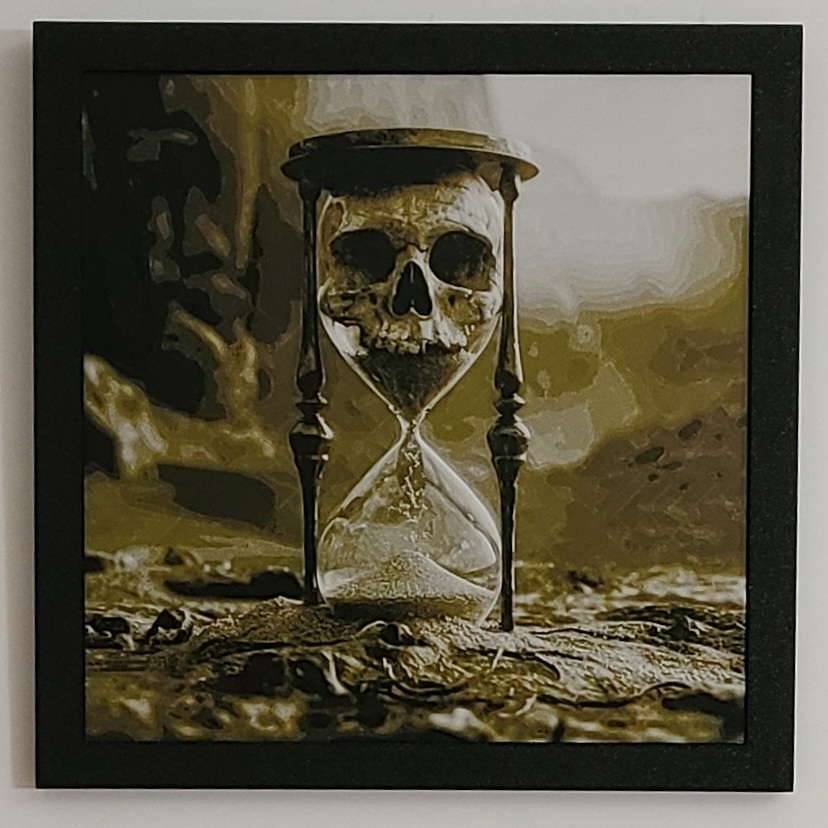
This is strictly for personal use. The photo attached is the printed model and ? FRAME ? This is a Hueforge filament painting of the Inevitable guarantee that awaits the fate of all mortals. The frame for all of my, and probably the vast majority of 200x200 prints, is HERE . * This is a 4 color print that can easily be done by people with or without AMS units. If you have an A1 mini or any other printer with a bed smaller than the capacity to print 200x200 you can use the slicer to scale the model in the correct profile for your multi color setup just make sure NOT TO SCALE THE Z dimension. * IMPORTANT: READ BEFORE PRINTING * There are some pretty high transmission distance filaments used in this painting so if you substitute try to use a colors that are more translucent than not. * I have uploaded two 3MF profiles. One for people with an AMS and one for people with NO AMS. * To print with 1 AMS units all you need to do is load the colors in order and print. * To print with NO AMS unit you just need to do manual filaments swaps every color. The 3MF is set to pause at the correct layer heights. At each pause load the next filament color in order by following your unload/load procedure for your particular printer, then hit resume. Repeat until complete. This will be once per color over the entire painting. You have a decent amount of time between swaps. * Print at 100% infill with a layer height of 0.08mm with a base layer of 0.16mm. There are some recommended speed changes in my 3MF files and a layer height modifier to print the first 0.64 mm @ 0.16 mm layer height to speed up the print as there is no blending on those layers. * Like all of my models this is strictly for personal use. The photo attached is the printed model and frame. * Print at 100% infill with a layer height of 0.08mm with a base layer of 0.16mm * Filaments Used: PLA BambuLab Matte Charcoal Transmission Distance: 0.6 PLA BambuLab Basic Orange Transmission Distance: 10 PLA PolyLite Yellow Transmission Distance: 10 PLA BambuLab Tough Cream White Transmission Distance: 10 * Swap Instructions: Start with Charcoal At layer #12 (1.04mm) swap to Orange At layer #14 (1.2mm) swap to Yellow At layer #17 (1.44mm) swap to Cream White for the rest.