About this 3D model
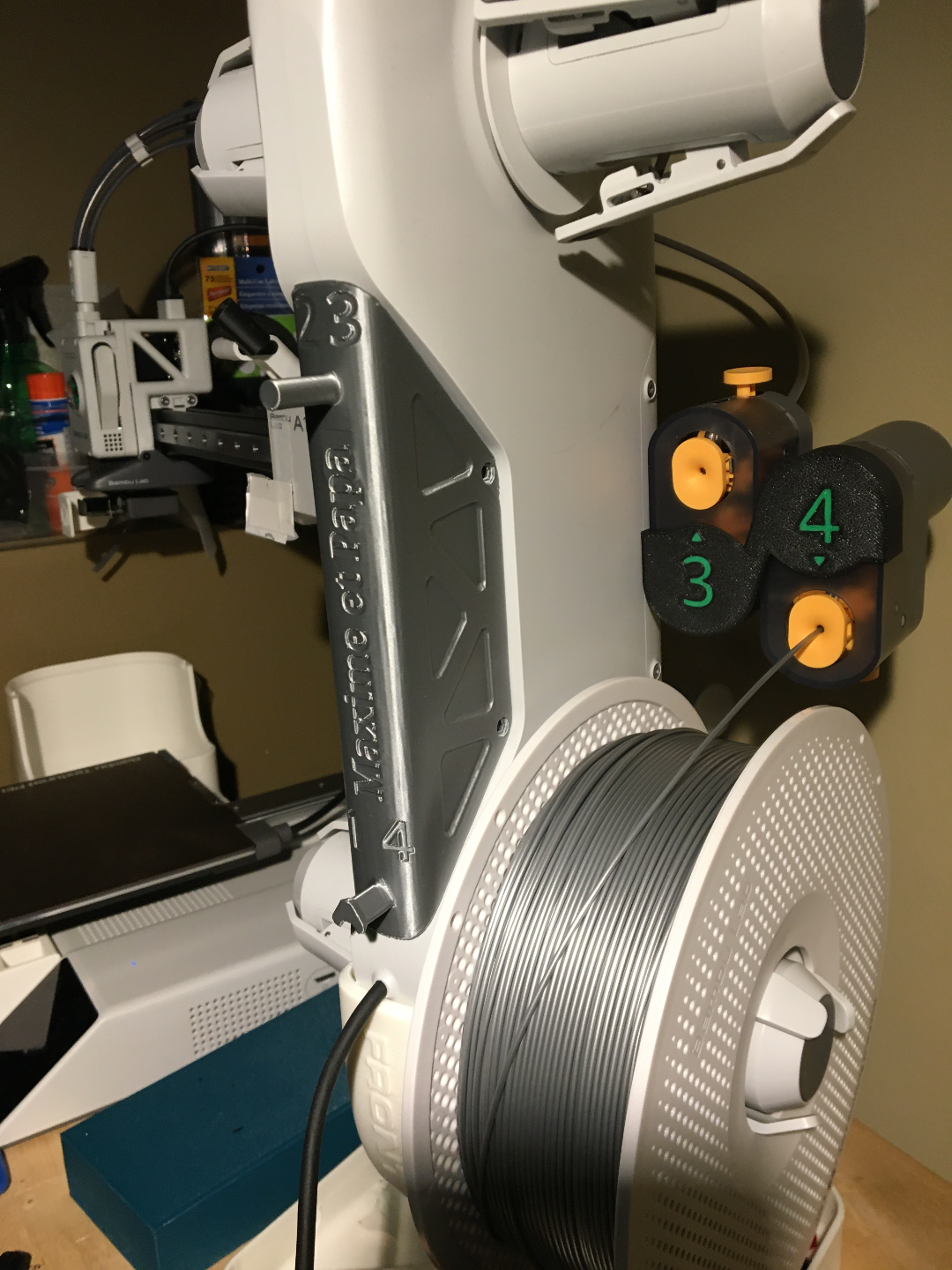
A1/A1 mini AMS Lite stand tool holder This a remix of the AMS lite plate cover from https://makerworld.com/en/models/102007#profileId-109051 I added a round one at the top for a Plastic Razor Scraper (highly recommended, won't scratch the plates) and moved the peg lower. Since it's too low for pliers, I added a V2 in which I swapped them: round peg at bottom, triangular one at top. I also added numbers corresponding to the AMS filament position, which are not included in the model and STL files. One print profile is single color, the other one has the numbers in color. The image shows customized text, which was removed in the .3mf and .stl files. Boost Me Any boost will go straight to my 9 year old's DIY fund and it will encourage me to put in the effort to provide as clear instructions as possible (and post additional sets of tiles). Thank you and enjoy the game! --------------------------- New to MakerWorld? What are Boosts? Boosts are a great way to show your support: users get 12 points per boost, and boost are free to you (we all receive 2 free boosts every 2 weeks). YOU even get 5 points when you first boost any model, and 2 points thereafter. You don't have to print a model to boost. Rating print profiles Rating a print profile encourages users to post their models: they earn 2 points for each 4 or 5 star rating, and YOU get up to 50 points/month for rating models you printed. How to rate a model/print profile? On the Makerworld website , click on your avatar and look for « Ratings » (image below). In the Bambu Handy app , tap "Me" at the bottom to find a purple ratings folder. In Bambu Studio software (or Orca Slicer), you can only rate the last model you printed in the Device tab, under Print progress.